This guide will show you the steps you need to take in order to install Zoiper for iOS.
- Make sure your iOS device is connected to the same Wi-Fi network you use at home where your Zoiper app works.
- On your iOS device visit https://apps.apple.com/us/app/zoiper-lite-voip-soft-phone/id438949960 and download the app.
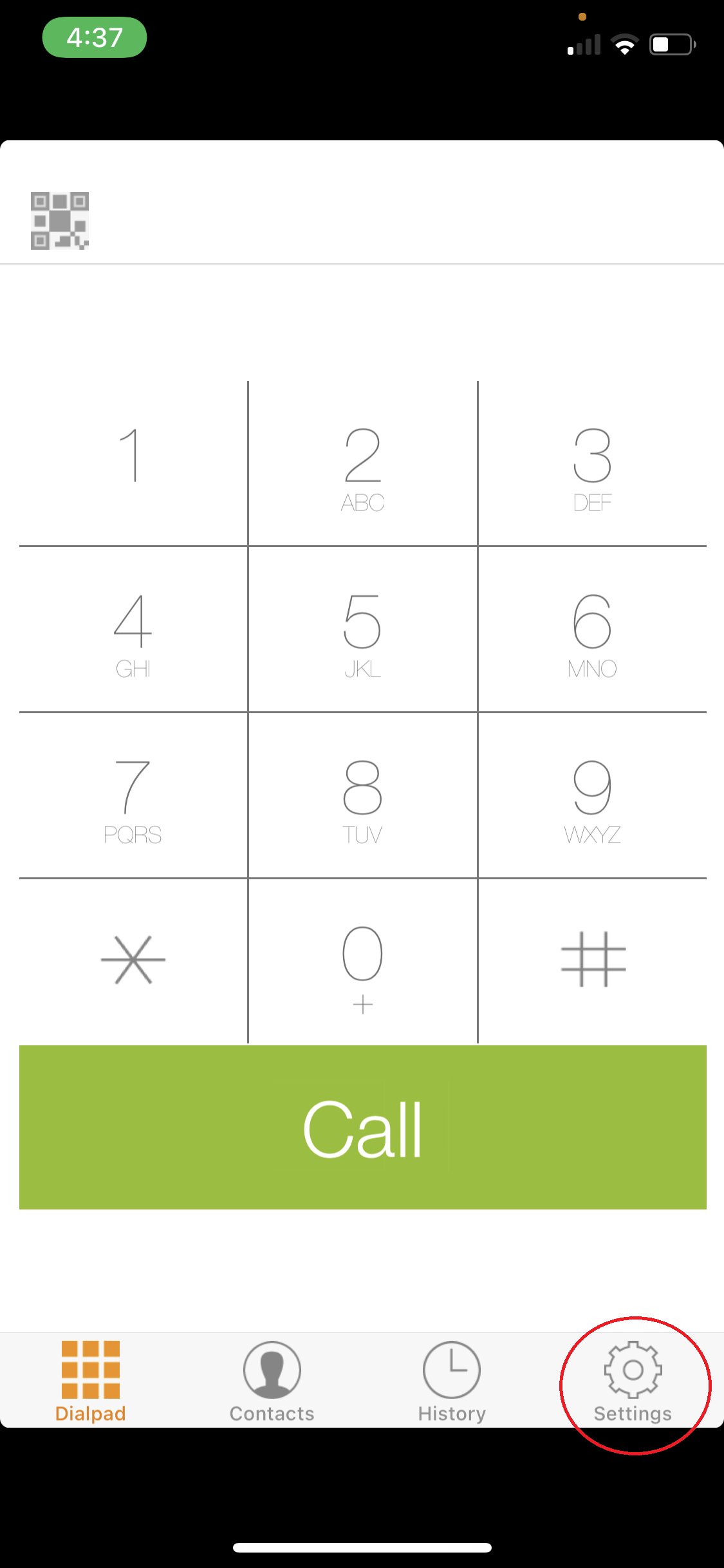
- Tap Settings
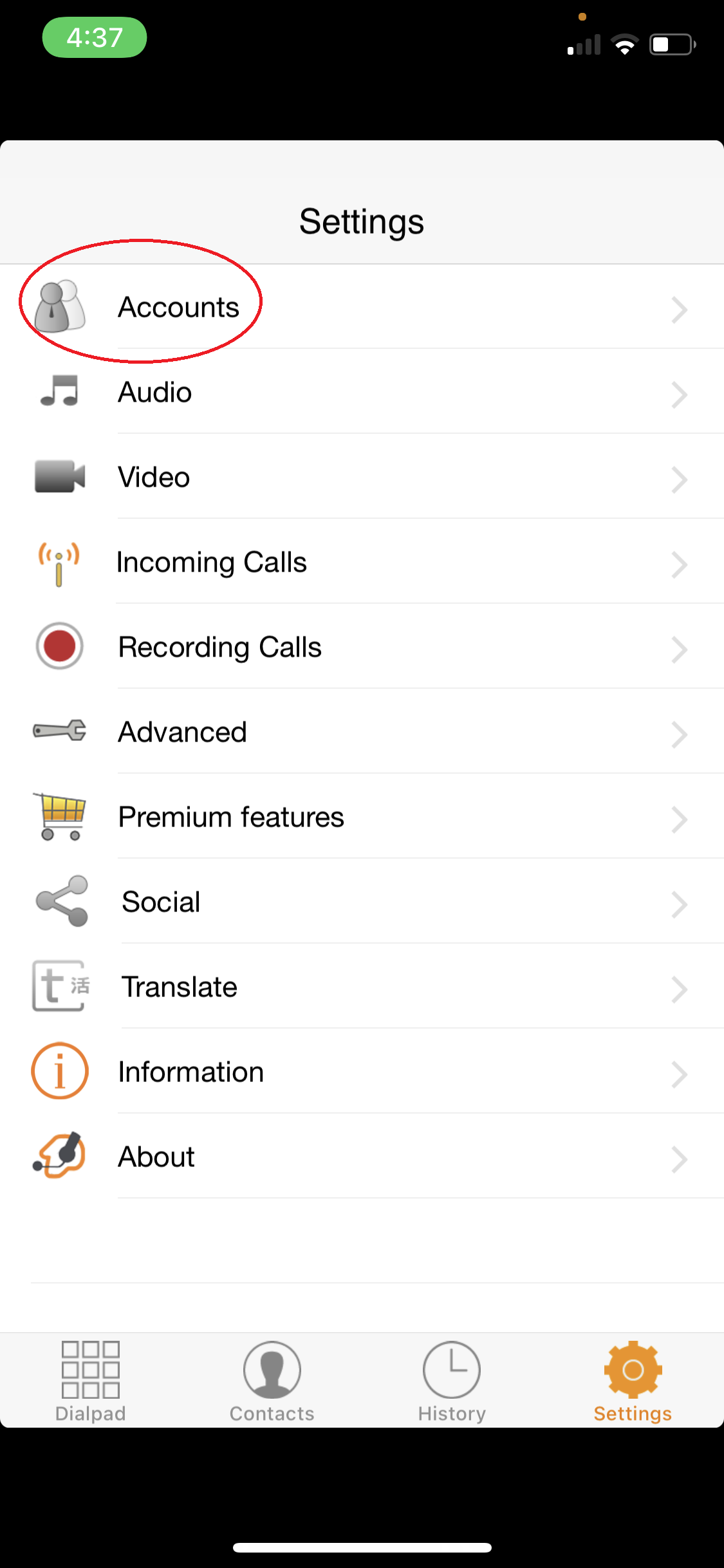
- Tap Accounts
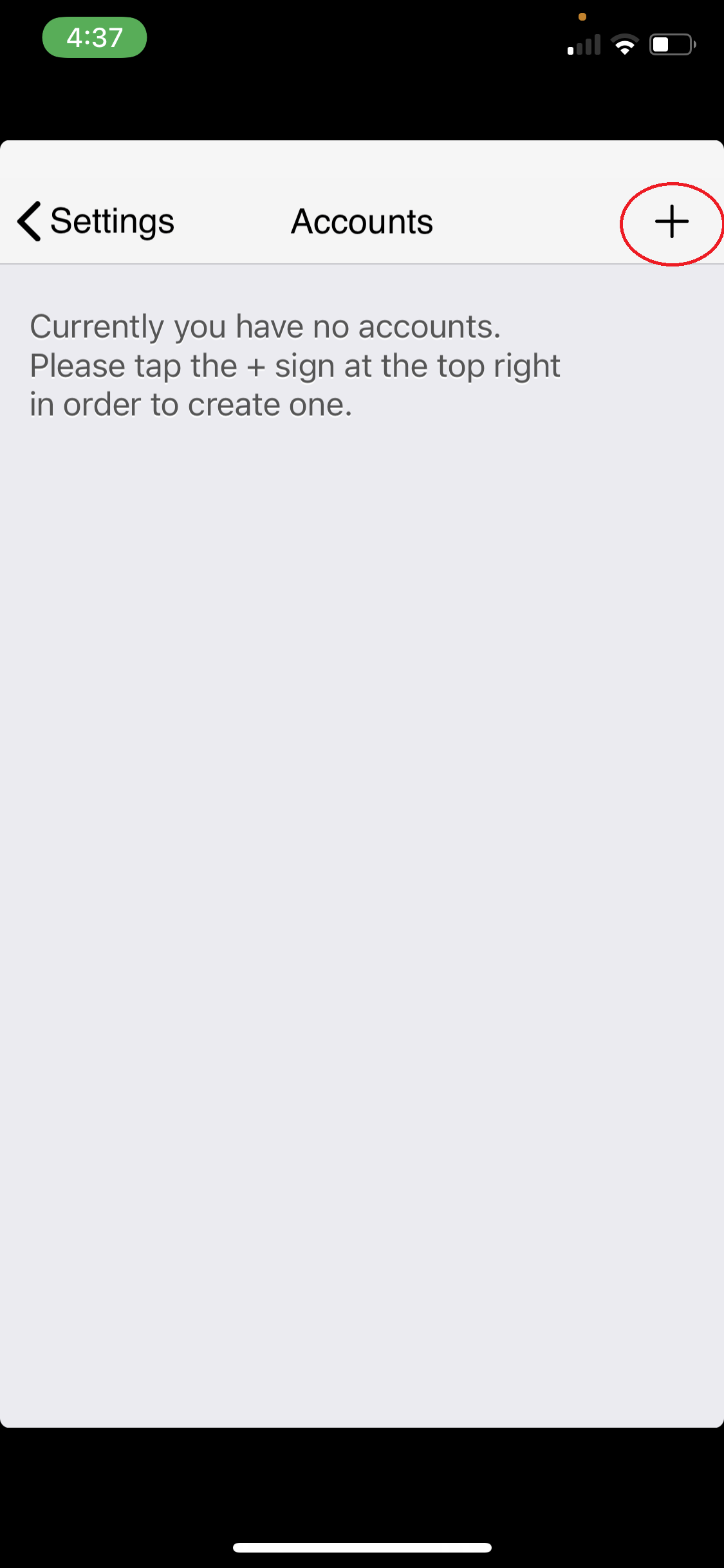
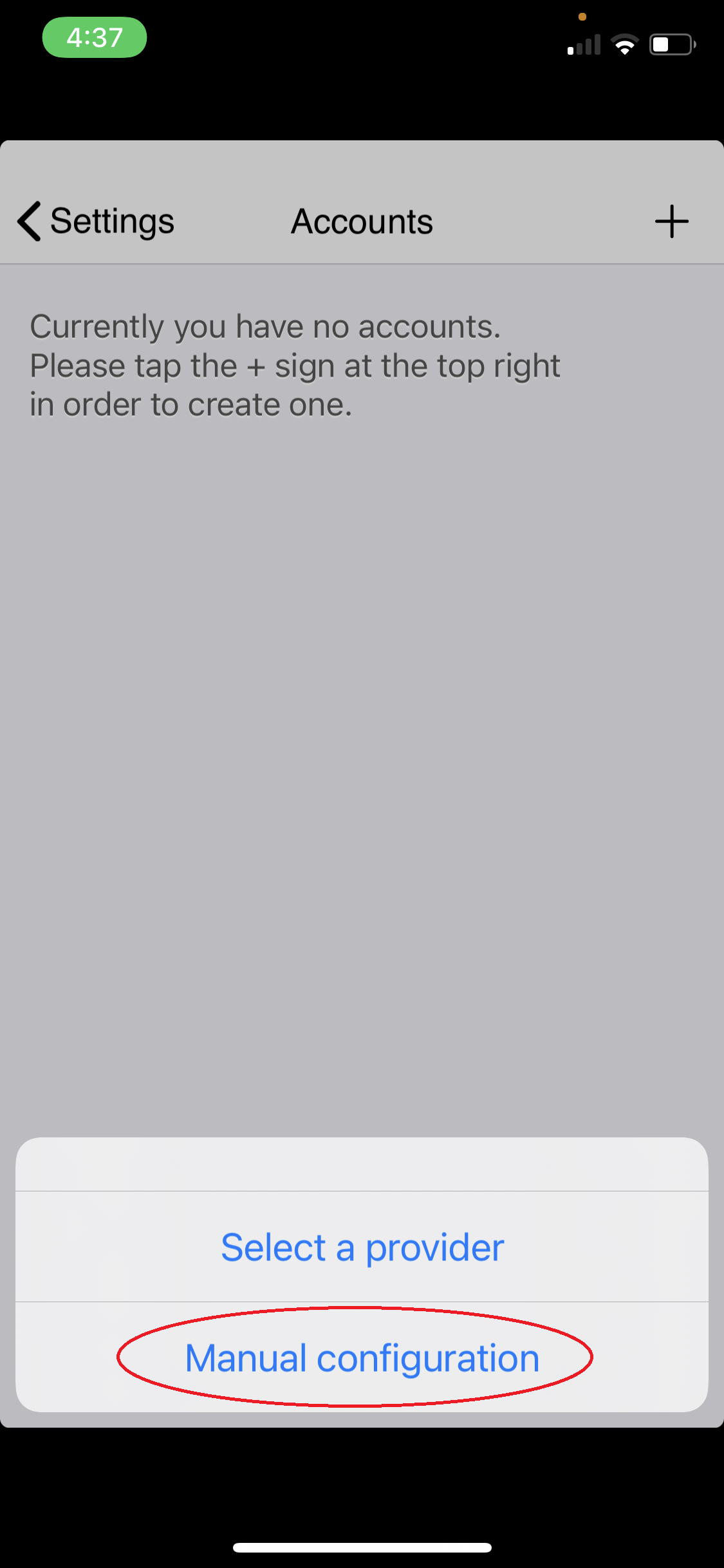
- Tap + icon
- Select Manual Configuration
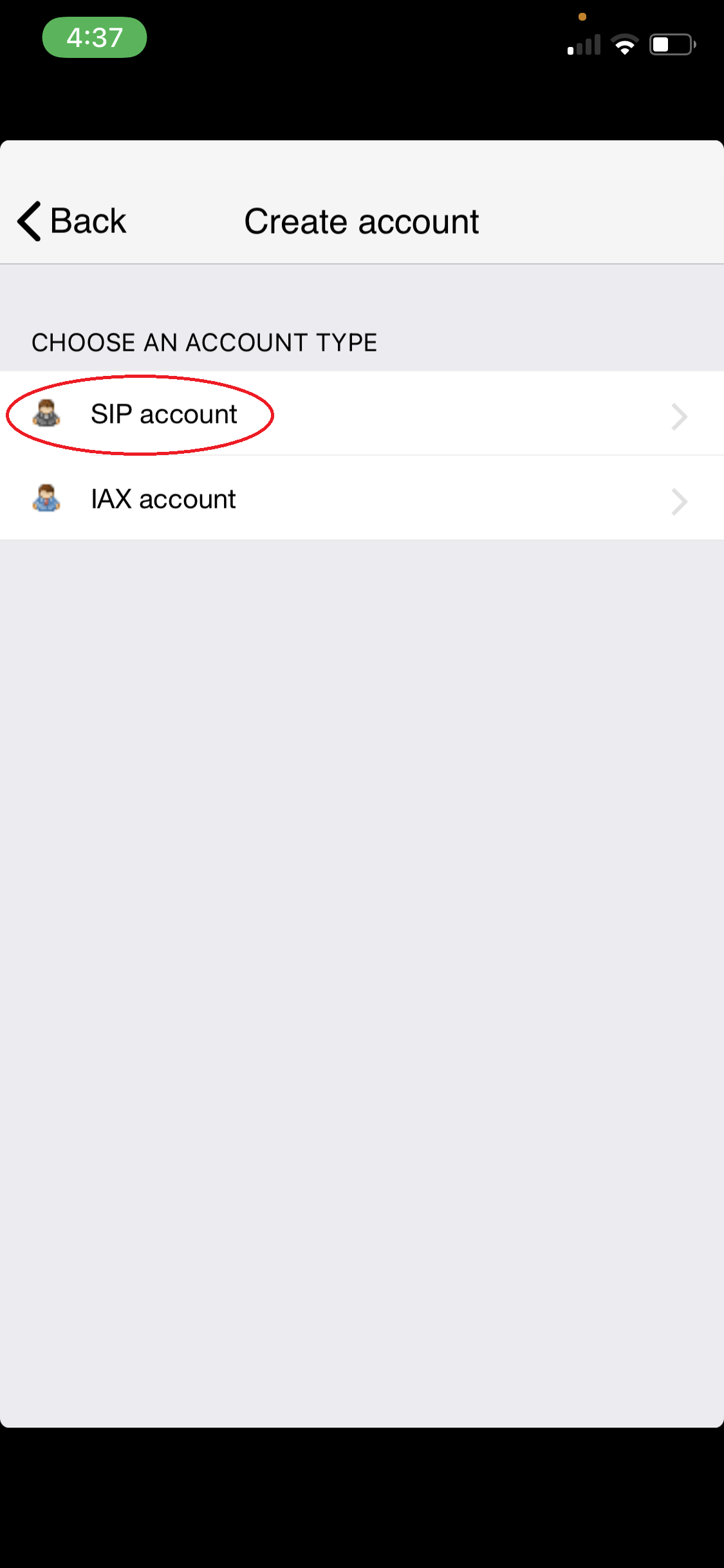
- Select SIP Account
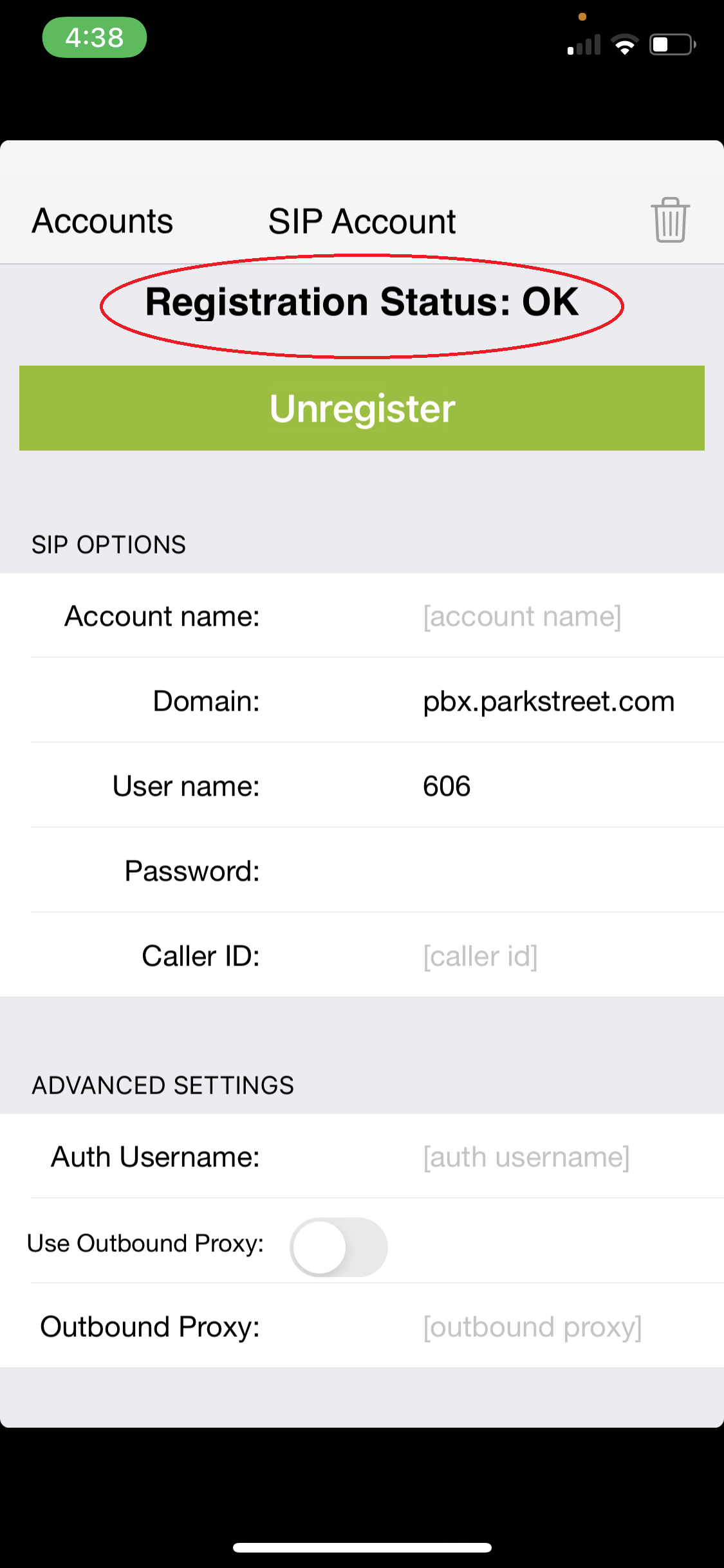
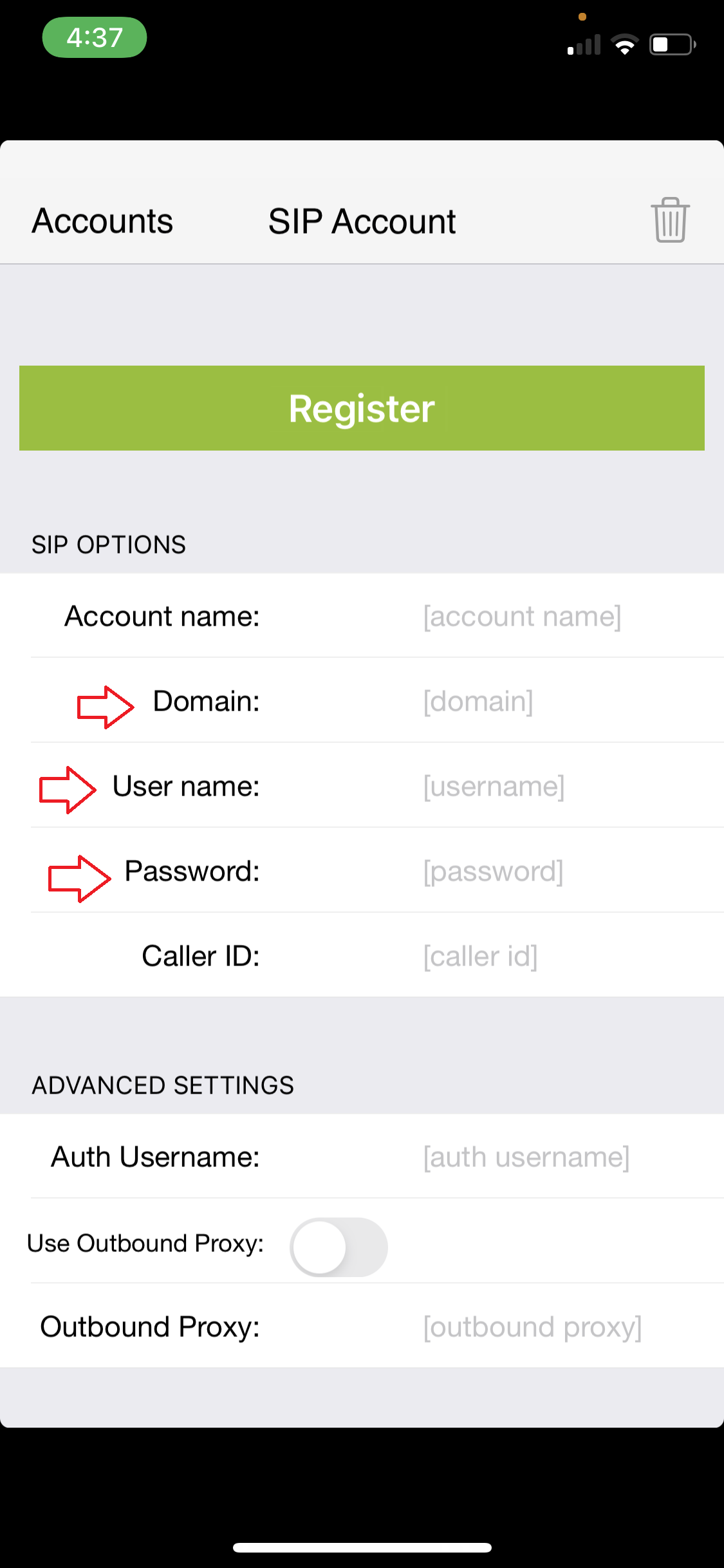
- You’re going to focus on Domain, User name, Password
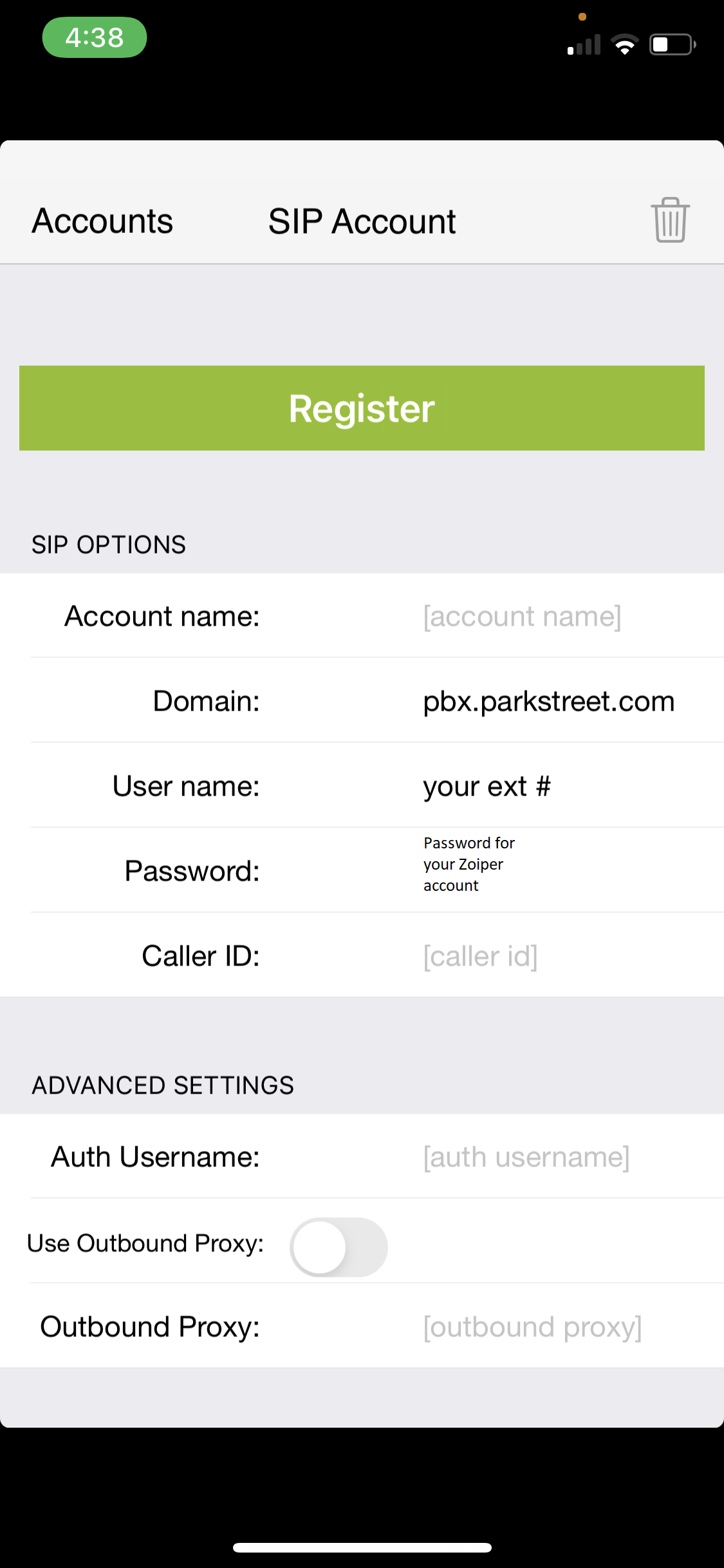
- In the screenshot below fill in your Zoiper information leaving Domain as pbx.parkstreet.com
- If it shows Registration Status: OK you're all set. if you get any errors please submit a Service desk request