
This guide will show you the basic steps you need to take in order to hear a users phone recording or access the users voicemail.
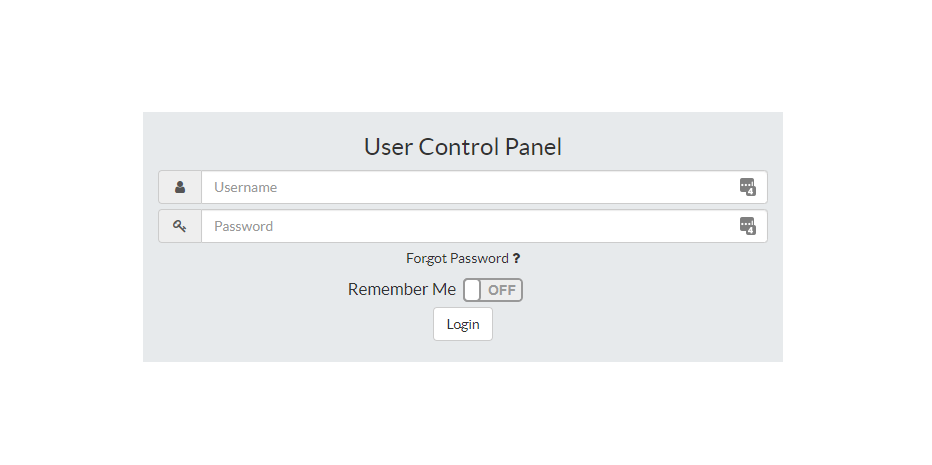
Log into your UCP portal here the login information should be in your inbox. If you don't see it please reach out to IT.
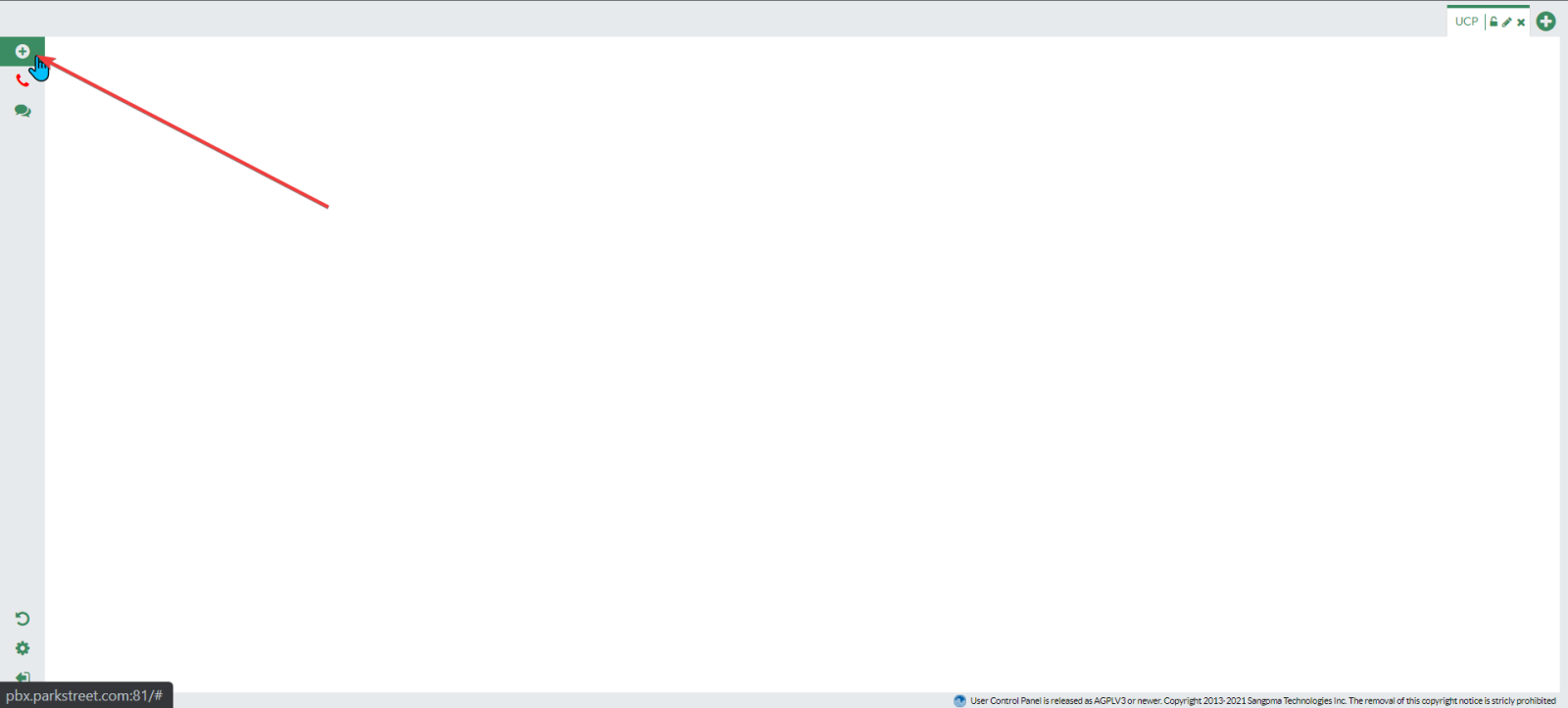
- Once logged in on the top left panel you will see a “+”. Select the “+”.
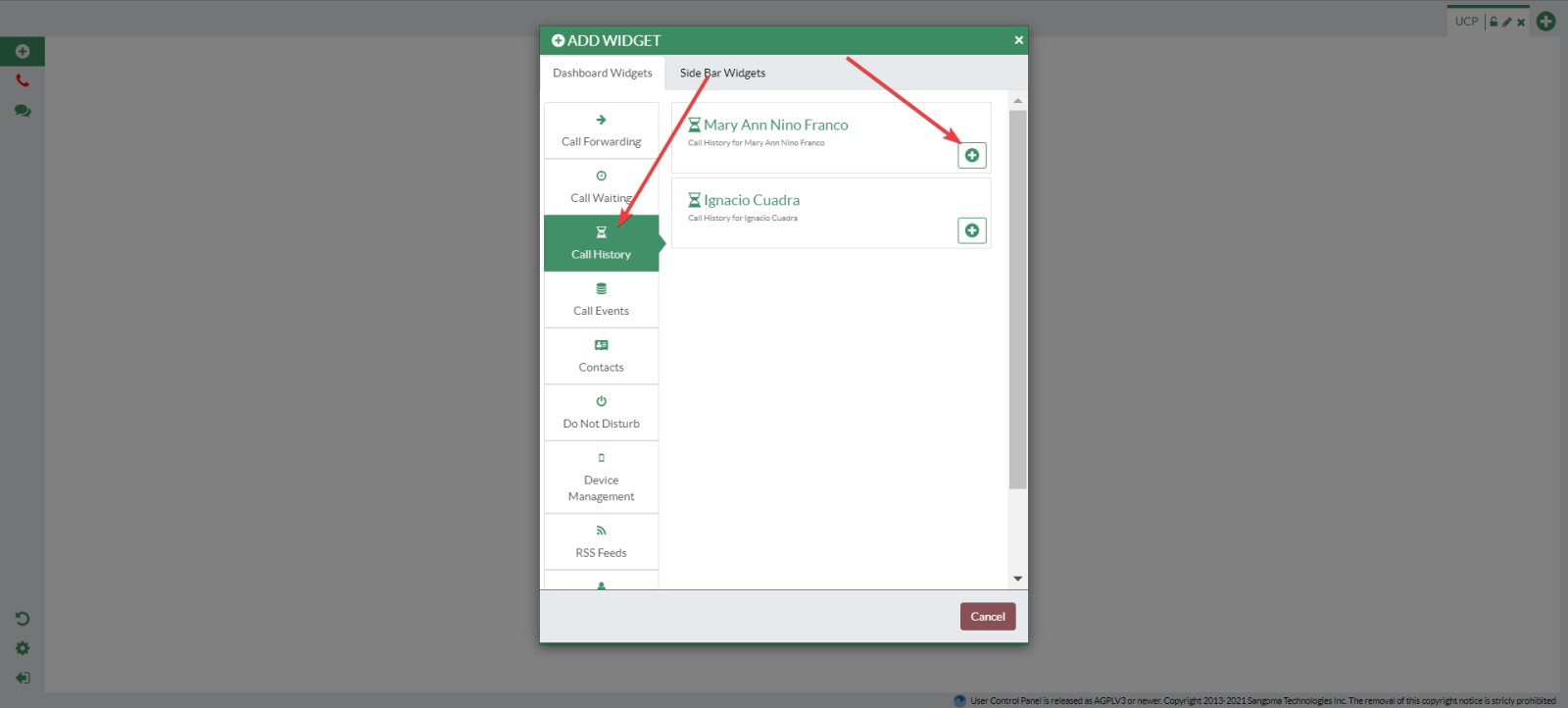
- Select Call History from the left side of the menu. To add a user’s call history to your dashboard, select the “+” symbol for the selected user. This will add the user’s call history to your dashboard.
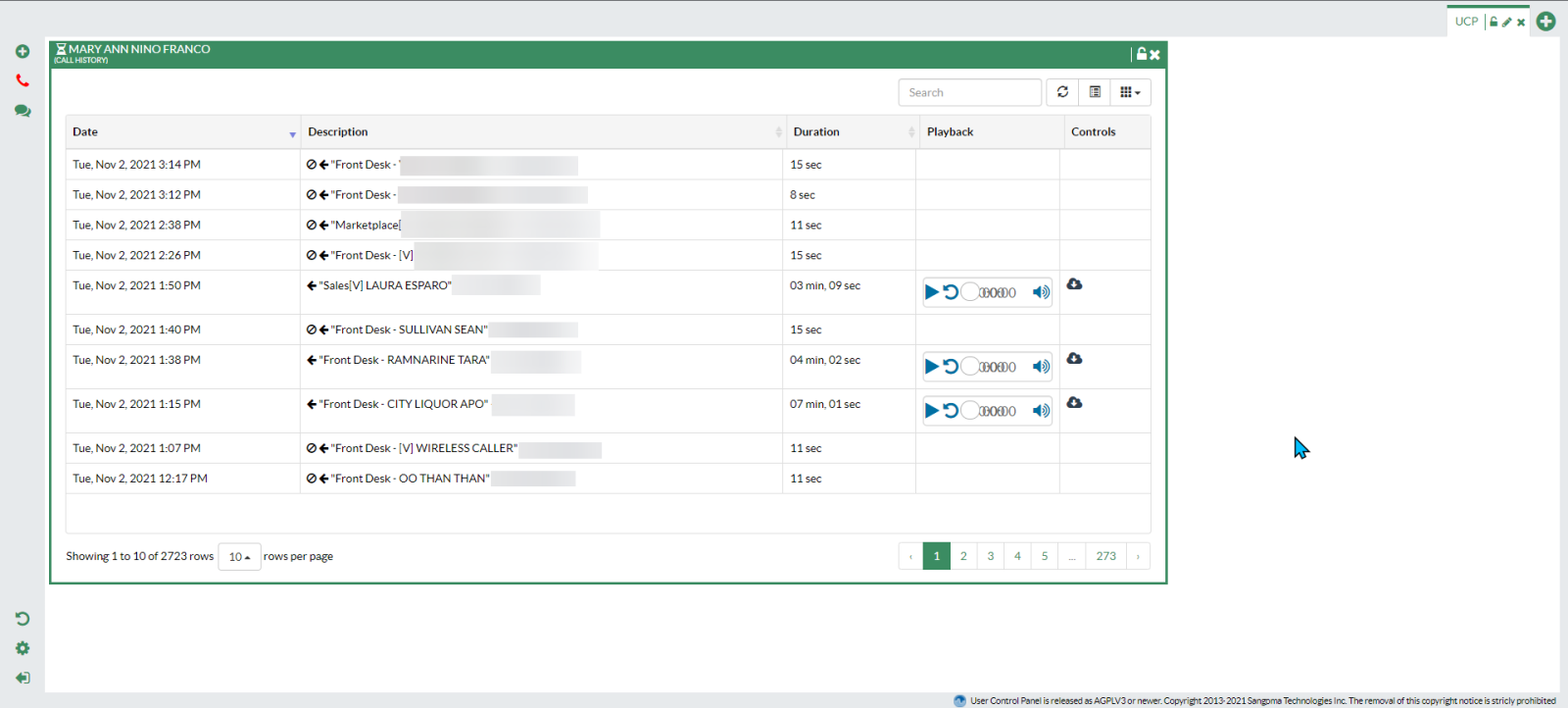
- This pane in the dashboard will show the user’s call history.
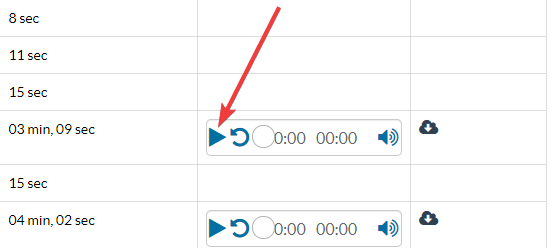
- You can then play call recordings by selecting the play button.