
Problem
When there are mismatches in the closing documents, you can utilize the https://docs.google.com/spreadsheets/d/1KaG8K9uHDw9dp7iSy5AjMnf4-FmOXrnMoXfbpJPRKto/edit#gid=142579059 sheet to view the transactions behind the numbers on the closing.
Solution
- Open the https://docs.google.com/spreadsheets/d/1KaG8K9uHDw9dp7iSy5AjMnf4-FmOXrnMoXfbpJPRKto/edit#gid=142579059 sheet
- Click on “Park Street Settings” in the menu bar
- Select the “Closing Month/Year” of the closing
- Select the “Client”.
- Select the “Data” you want to view.
- Click “Build Data”. Once it shows “Data Loaded”, you can view the results in the “Data” tab.
Please remember not to edit the “Data” sheet. You should just copy the tab into a new spreadsheet.
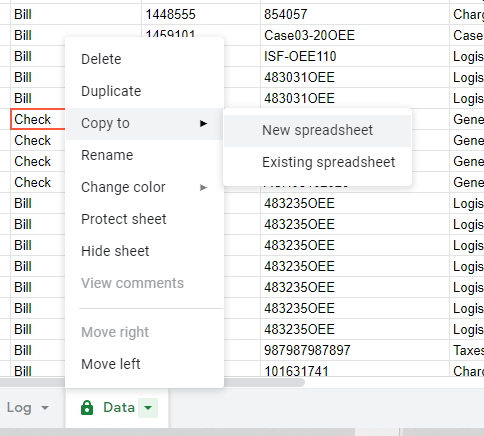
Please note the following 2 options in the “Data” menu: