Instructions
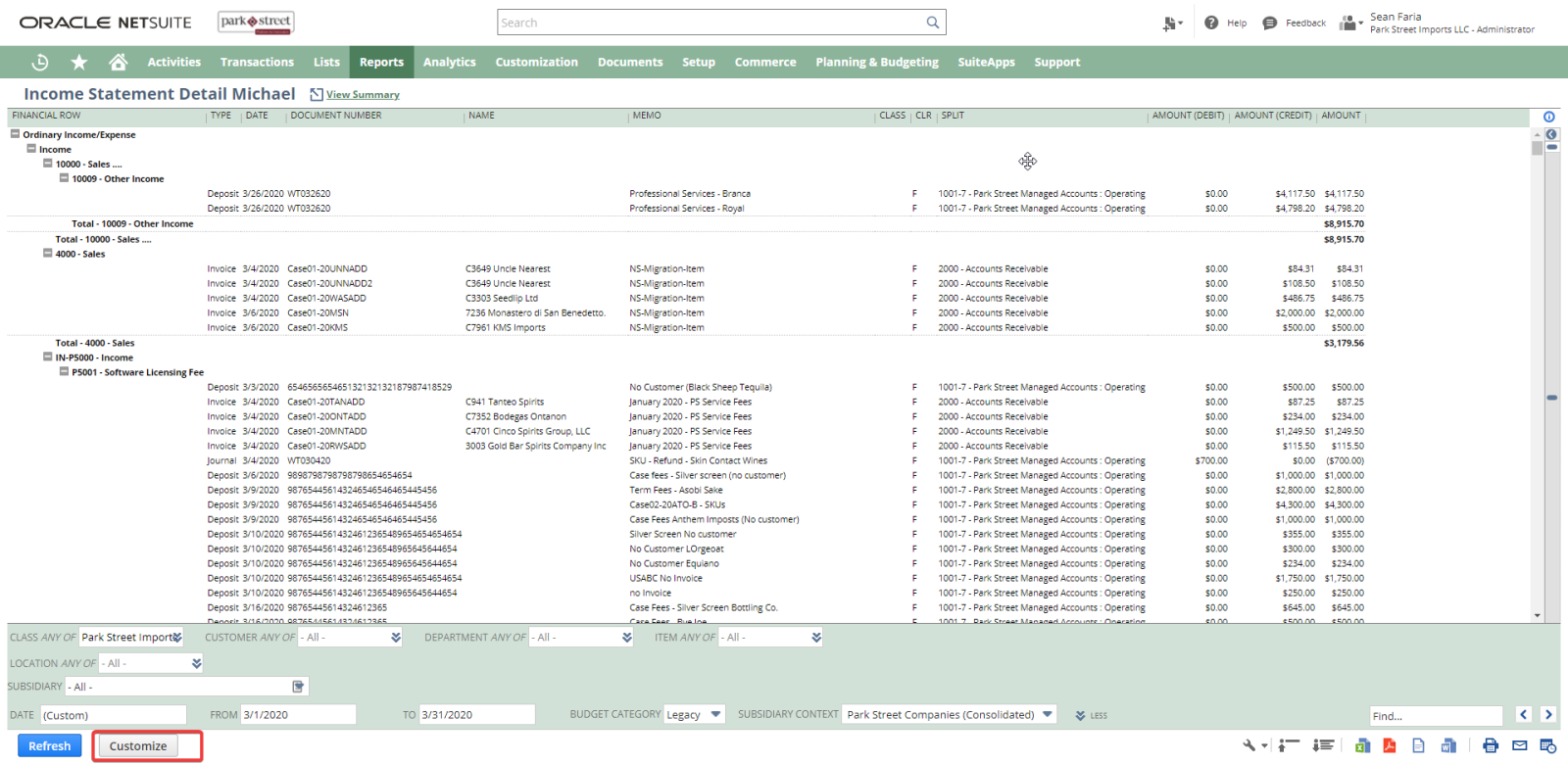
- Select Customize
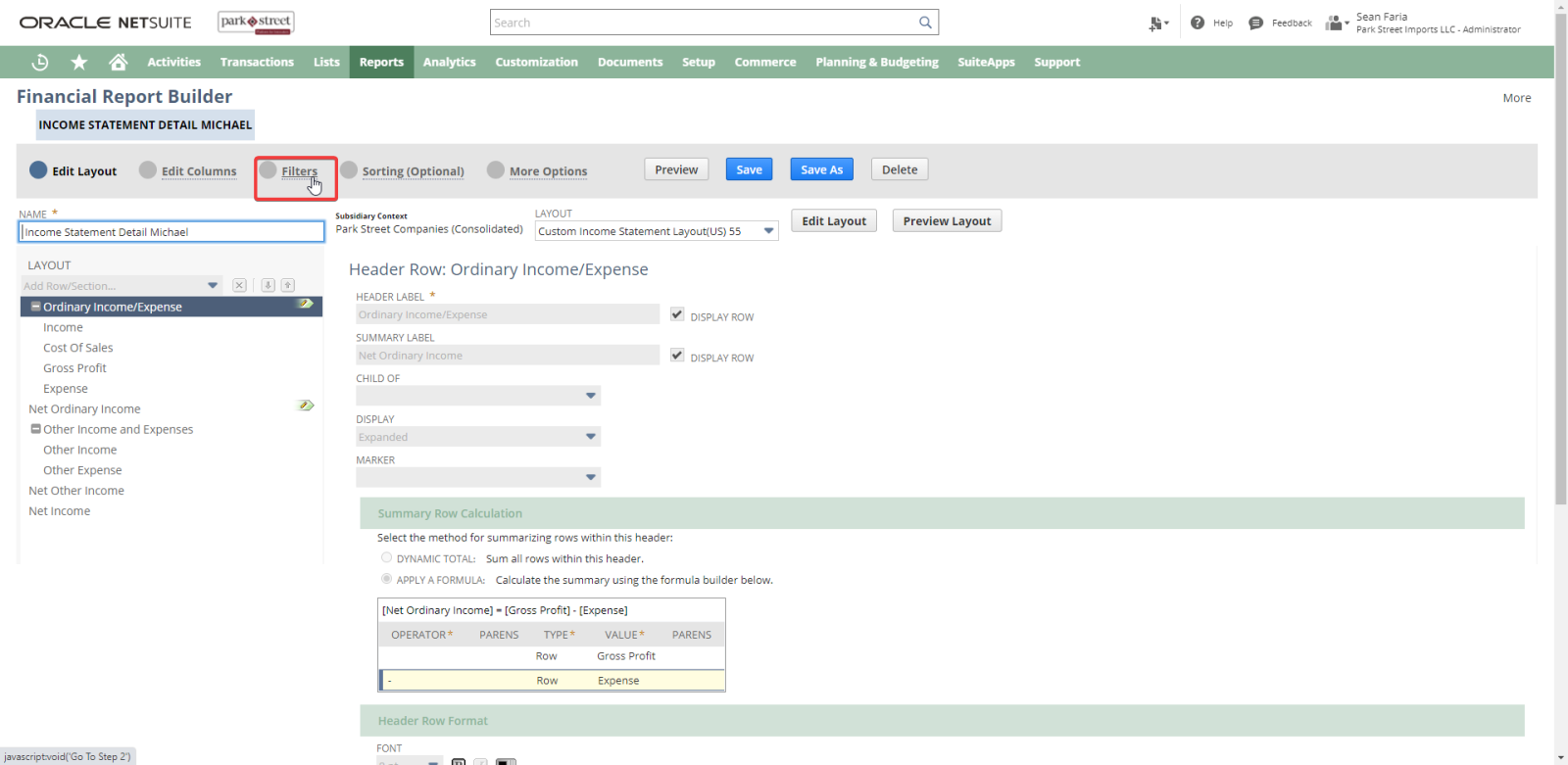
- Navigate to Filter
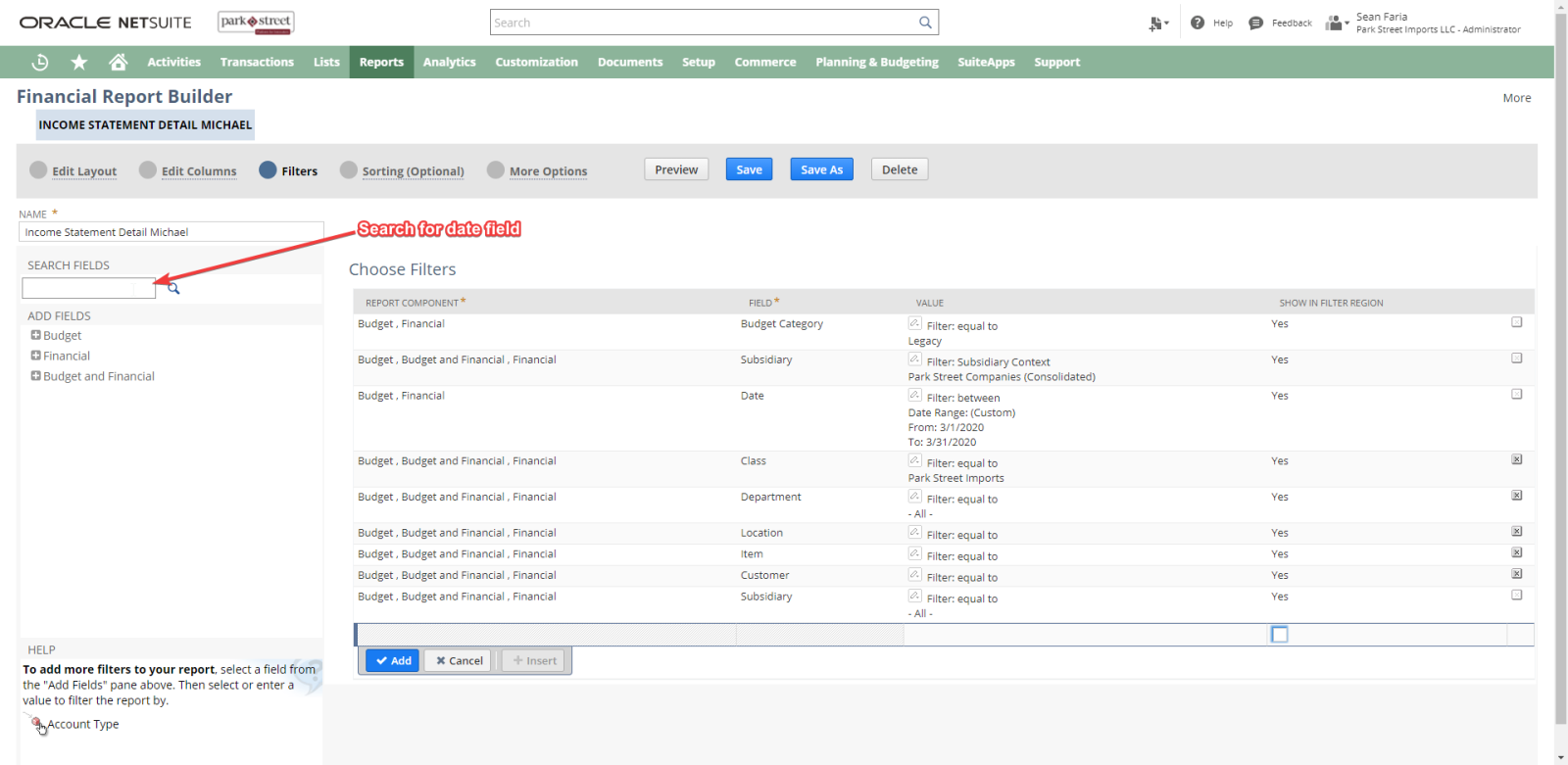
- Search for Date field
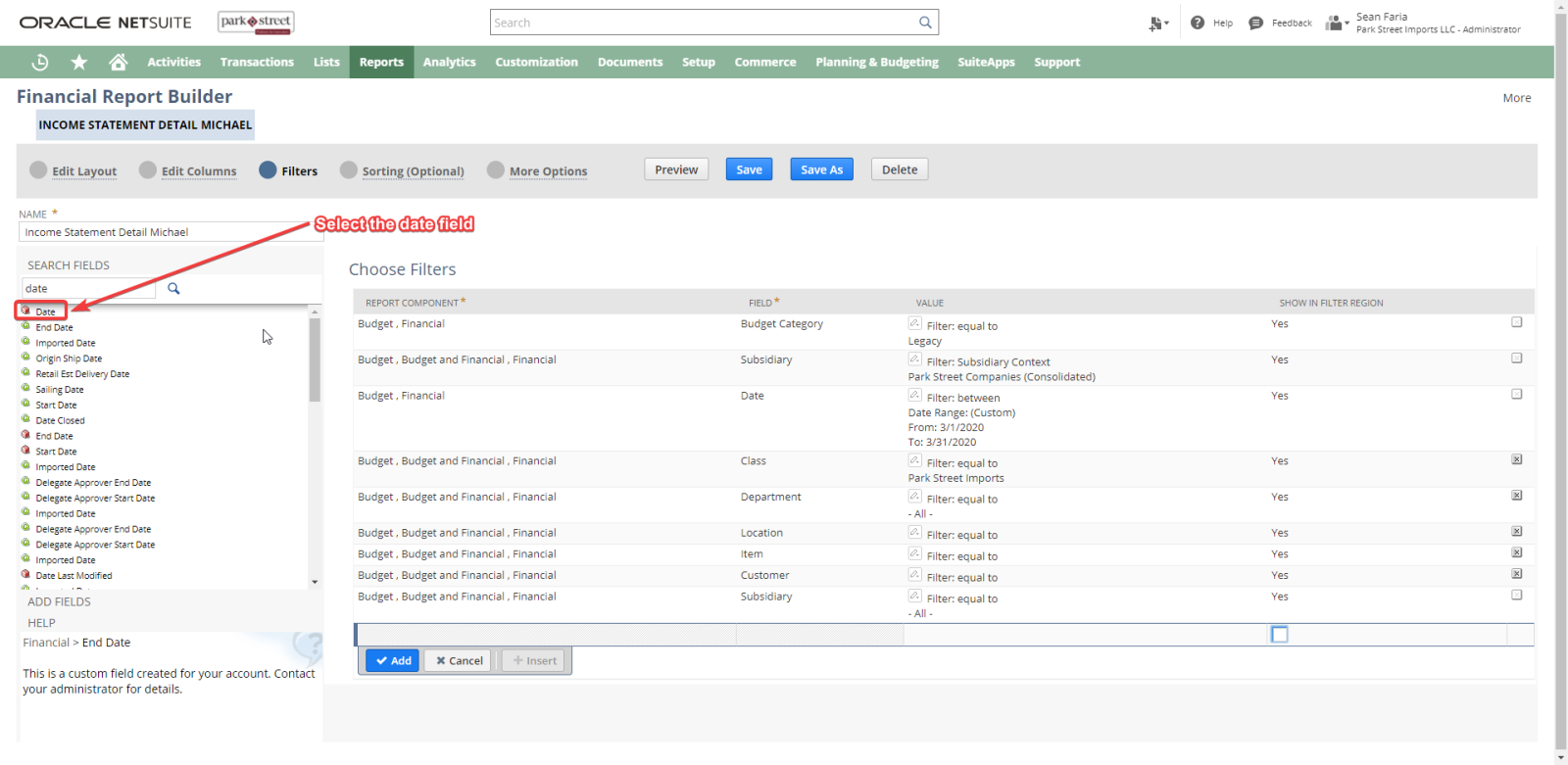
- Select the Date field
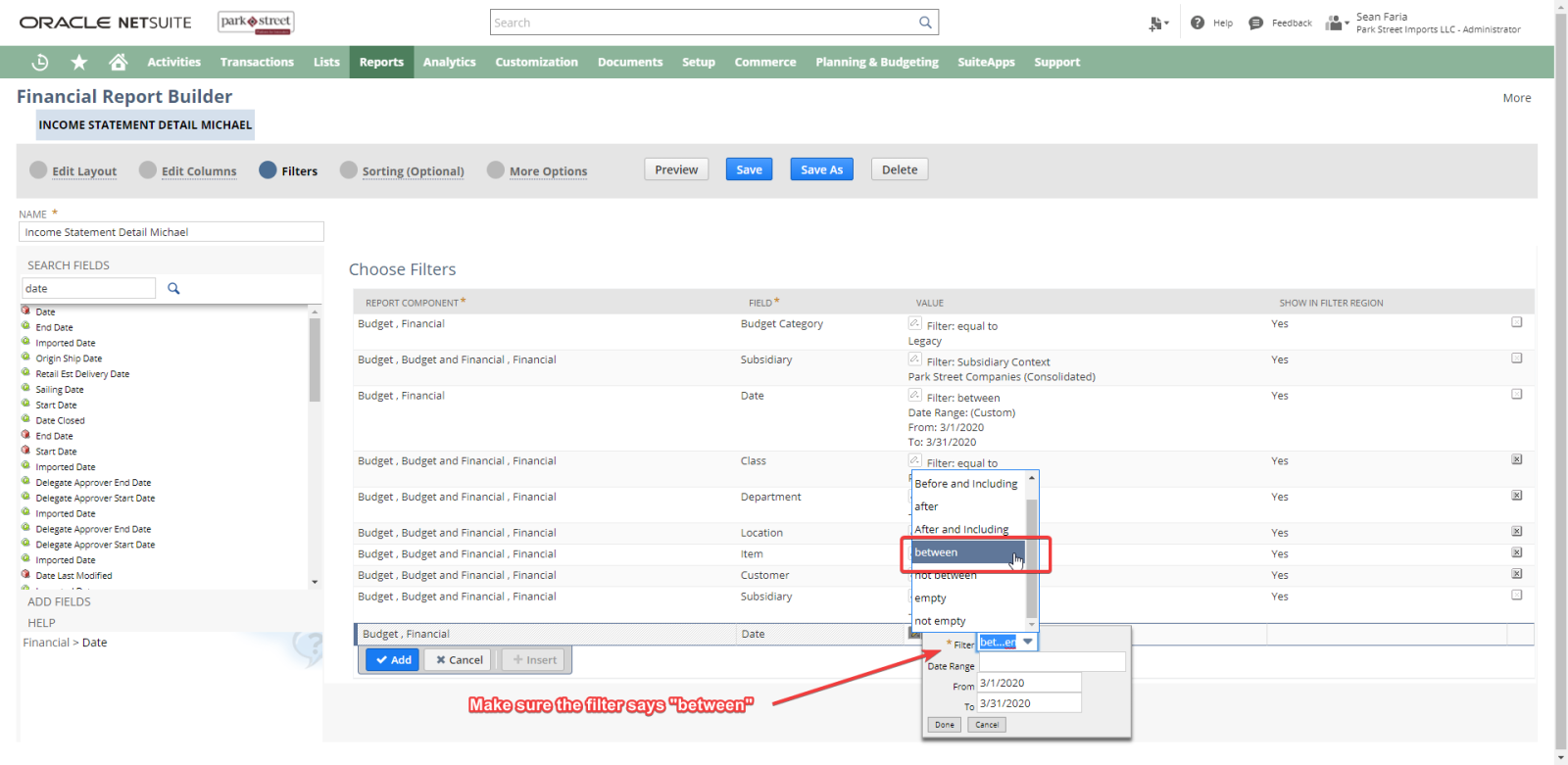
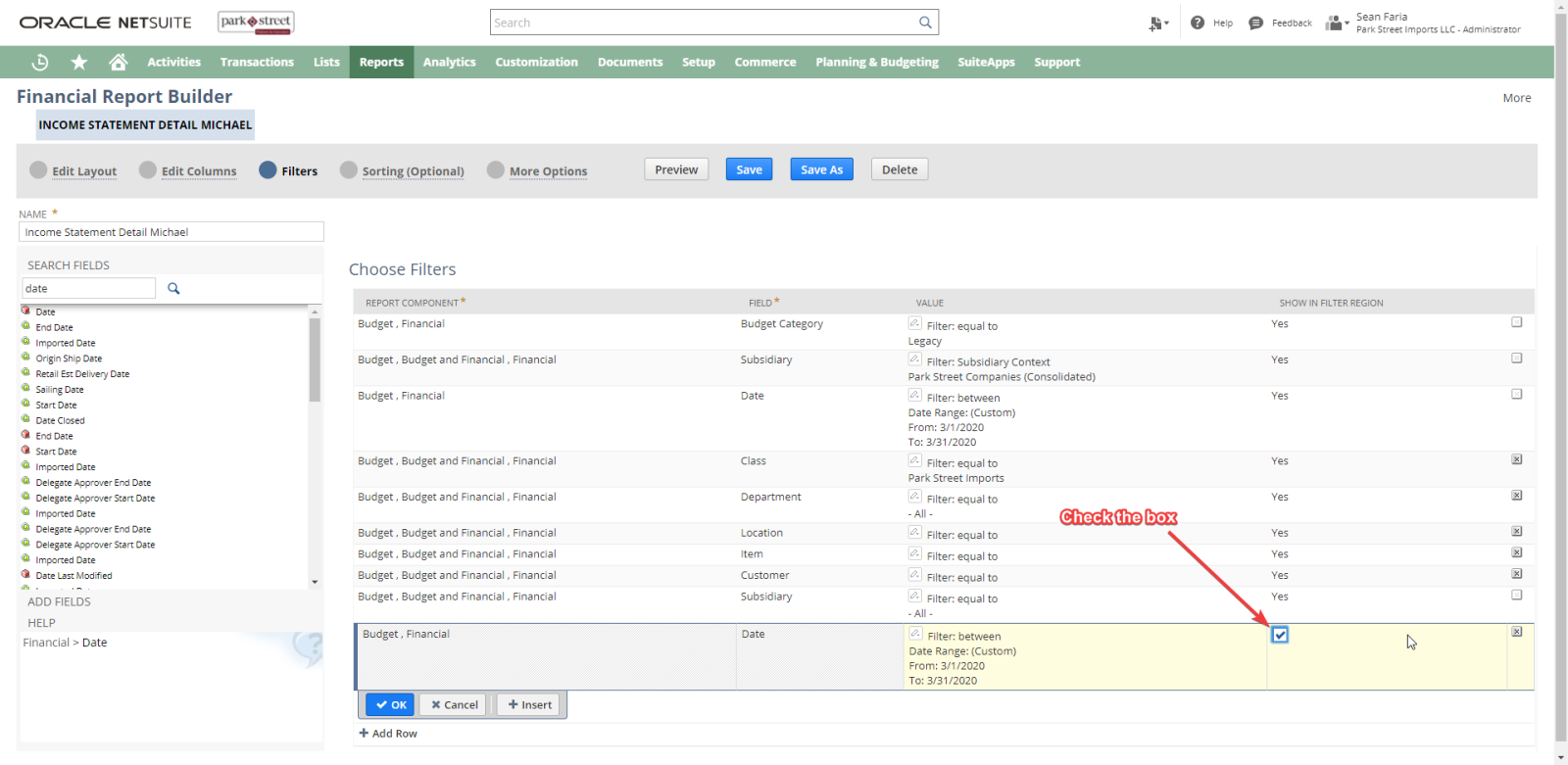
- Make the field has between filter selected
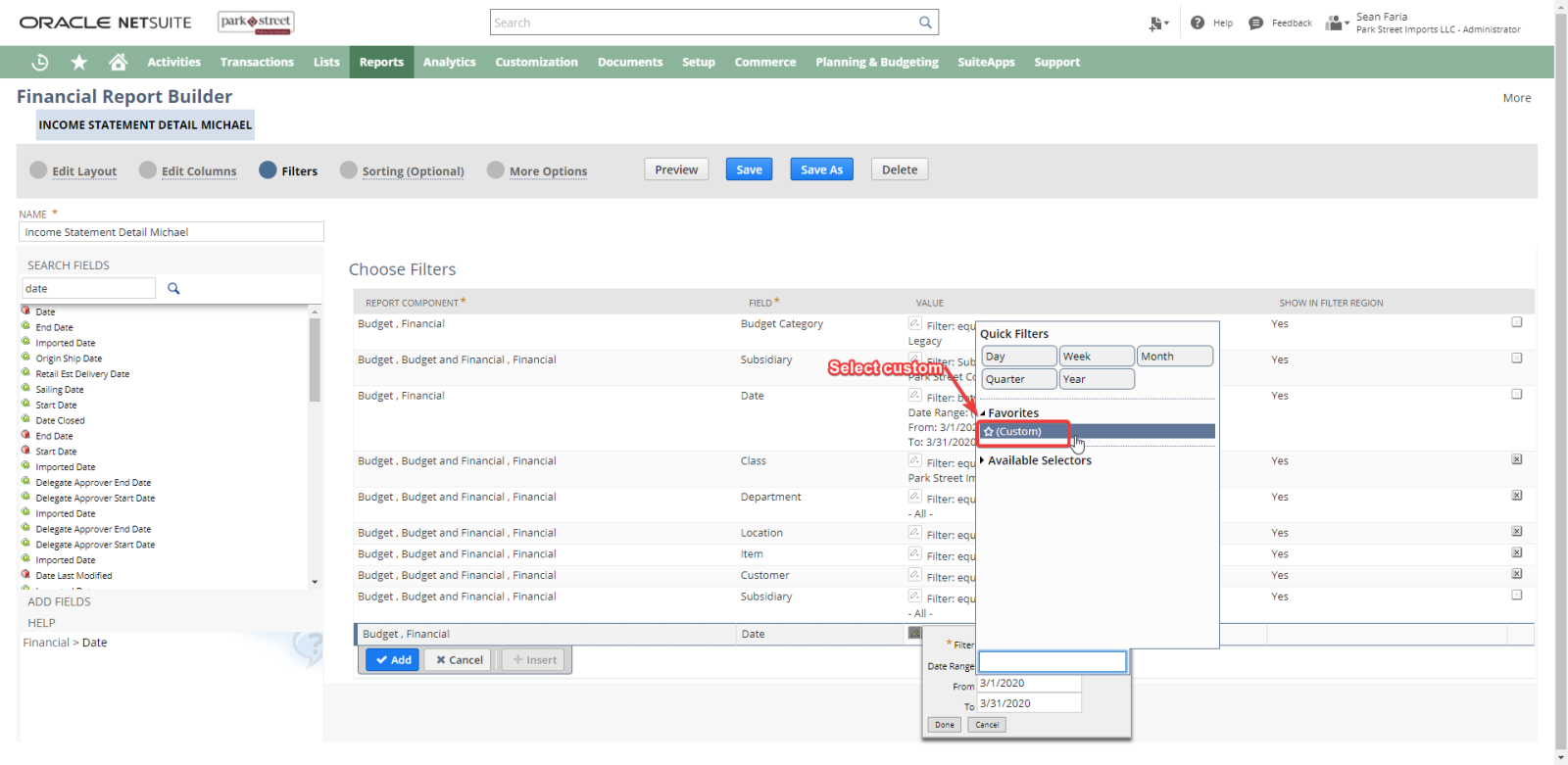
- Set filter range to custom
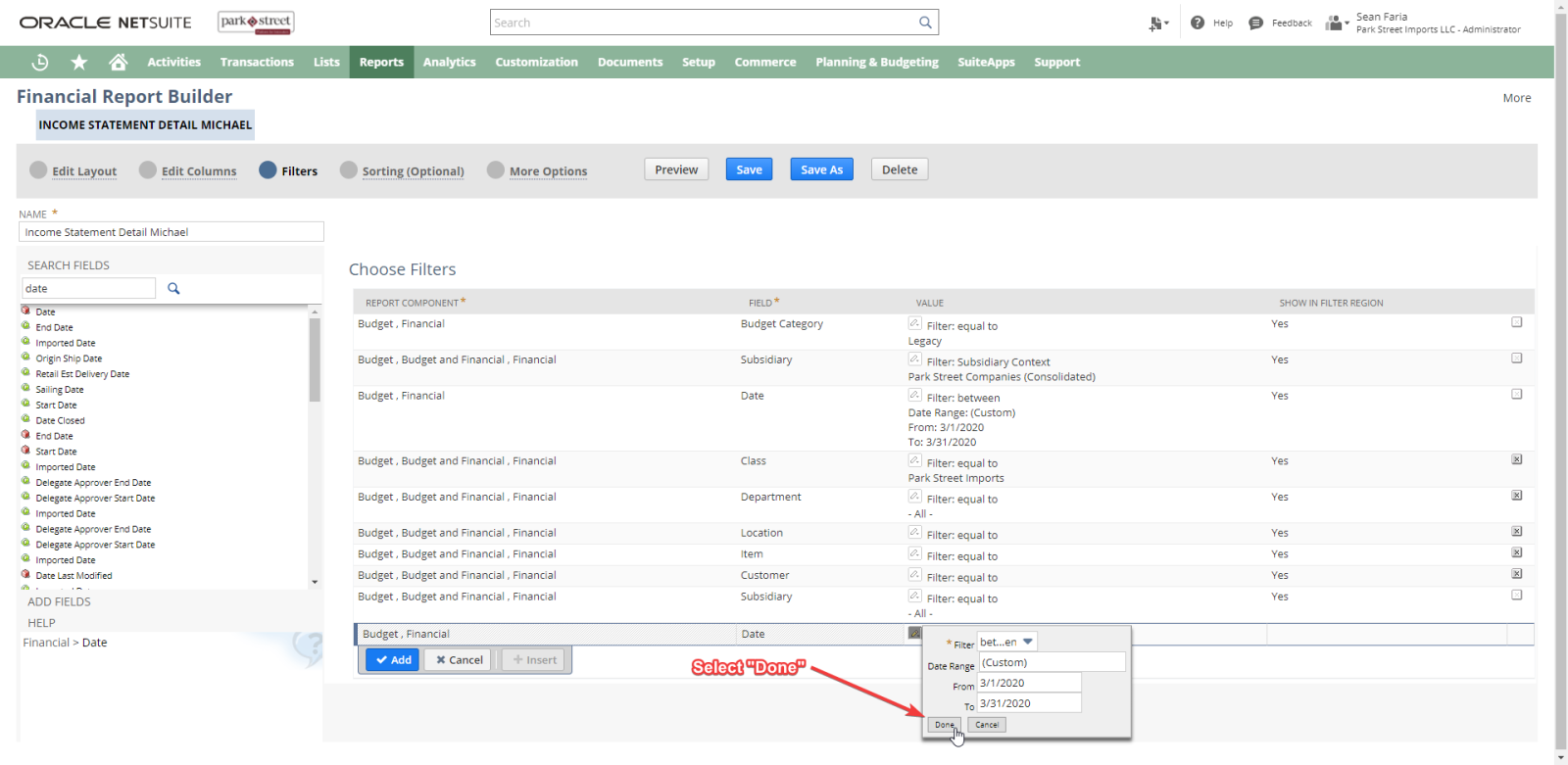
- Select “Done”
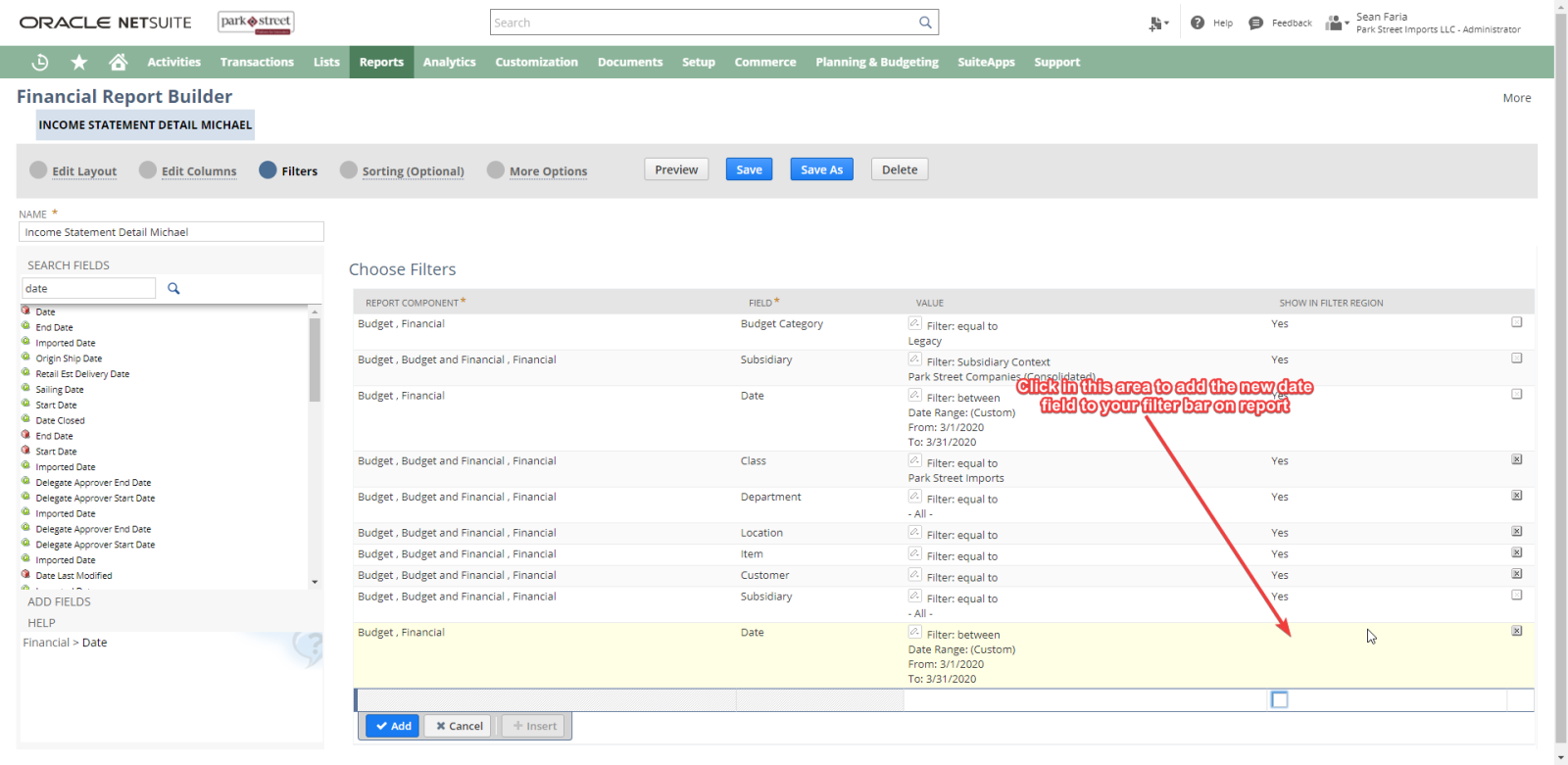
- Add The filer to your report
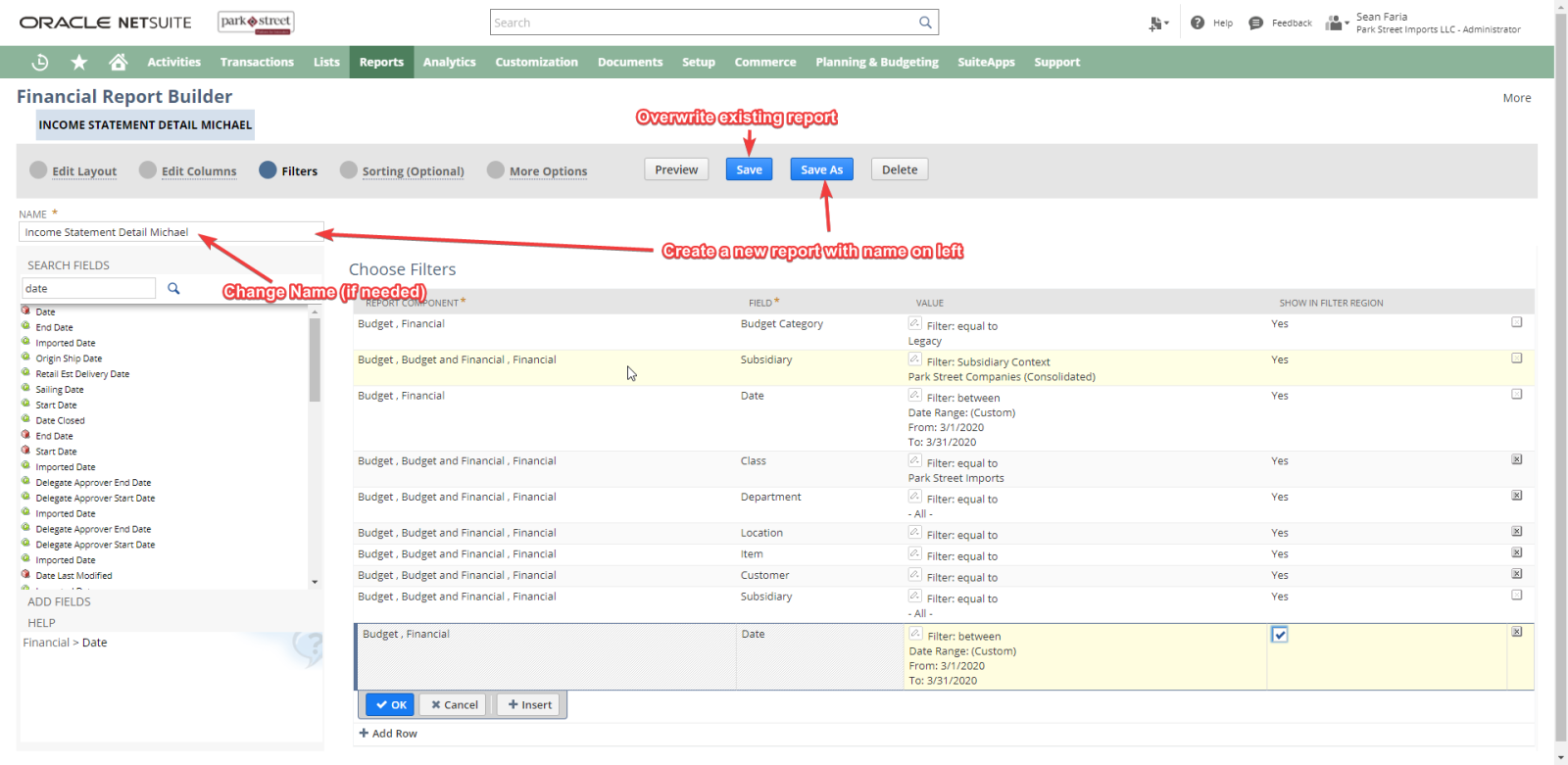
- Save the report
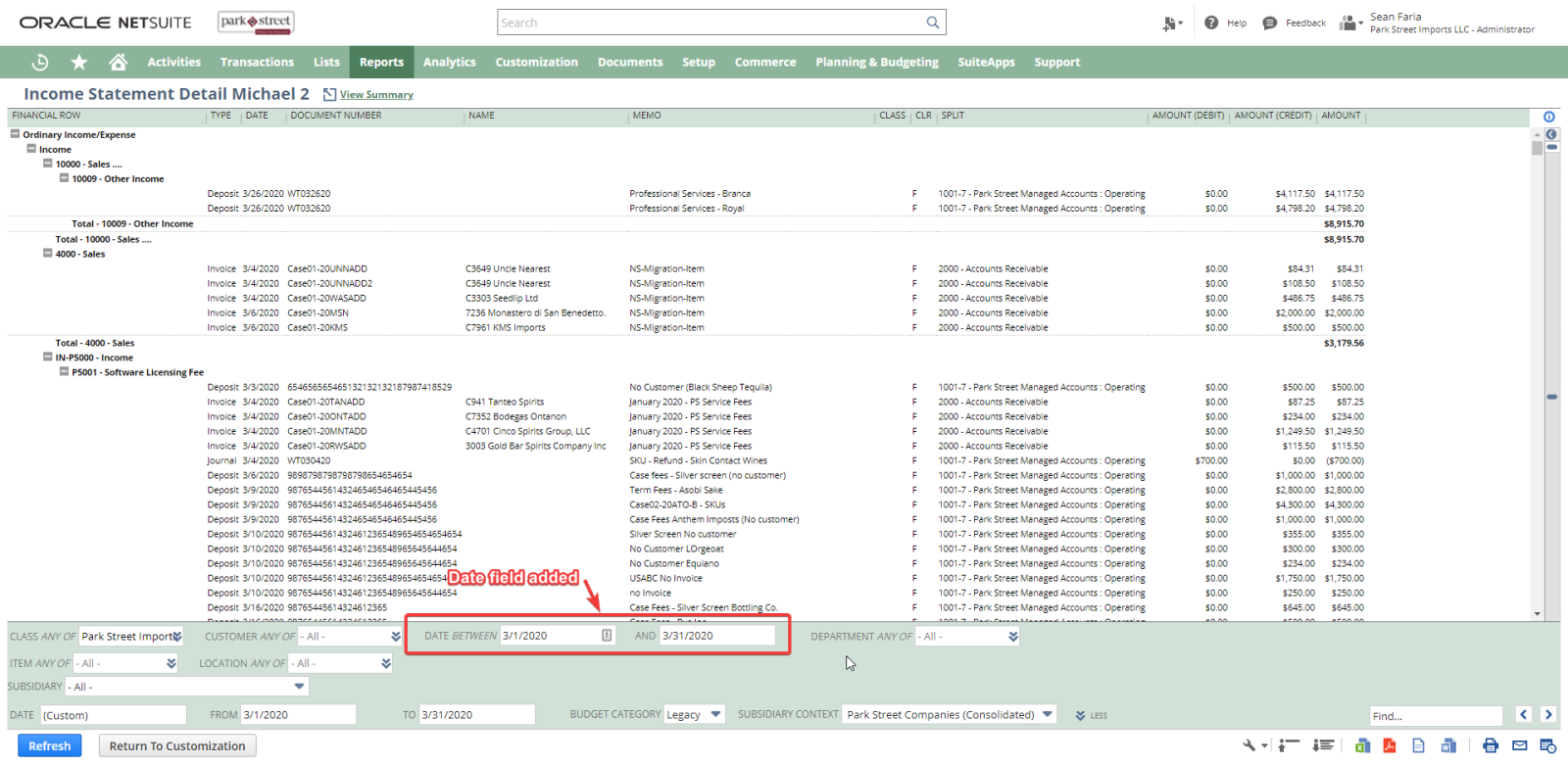
- View report with new field

This site is for Park Street employees only. Sign in with your work Google account to continue.
Open a ticket using Linear Asks from Slack — describe what you need and we'll take it from there.
Open Linear Asks →