
This article explains how to reauthorize Front after your Google account password has been changed or when Front no longer has permission to access your Gmail account.
Reauthorizing Front restores the connection between Front and Gmail. After the connection is restored, Front will begin syncing any emails that were received while the account needed reauthorization.
When to reauthorize Front
You may need to reauthorize Front if:
- Your Google account password was recently changed.
- Emails are appearing in Gmail but not in Front.
- Front displays a notification that your account needs to be reconnected or reauthorized.
Before you begin
Make sure you can sign in to the Google account connected to Front. If you recently changed your password, use the new password when prompted.
Step 1 — Confirm that Front needs reauthorization
Open Front and check whether there is a reauthorization notification or warning for your Gmail account.
If you are not sure whether Front needs to be reauthorized, compare the emails in Gmail with the emails in Front. If new emails are arriving in Gmail but not appearing in Front, the Gmail connection may need to be reauthorized.
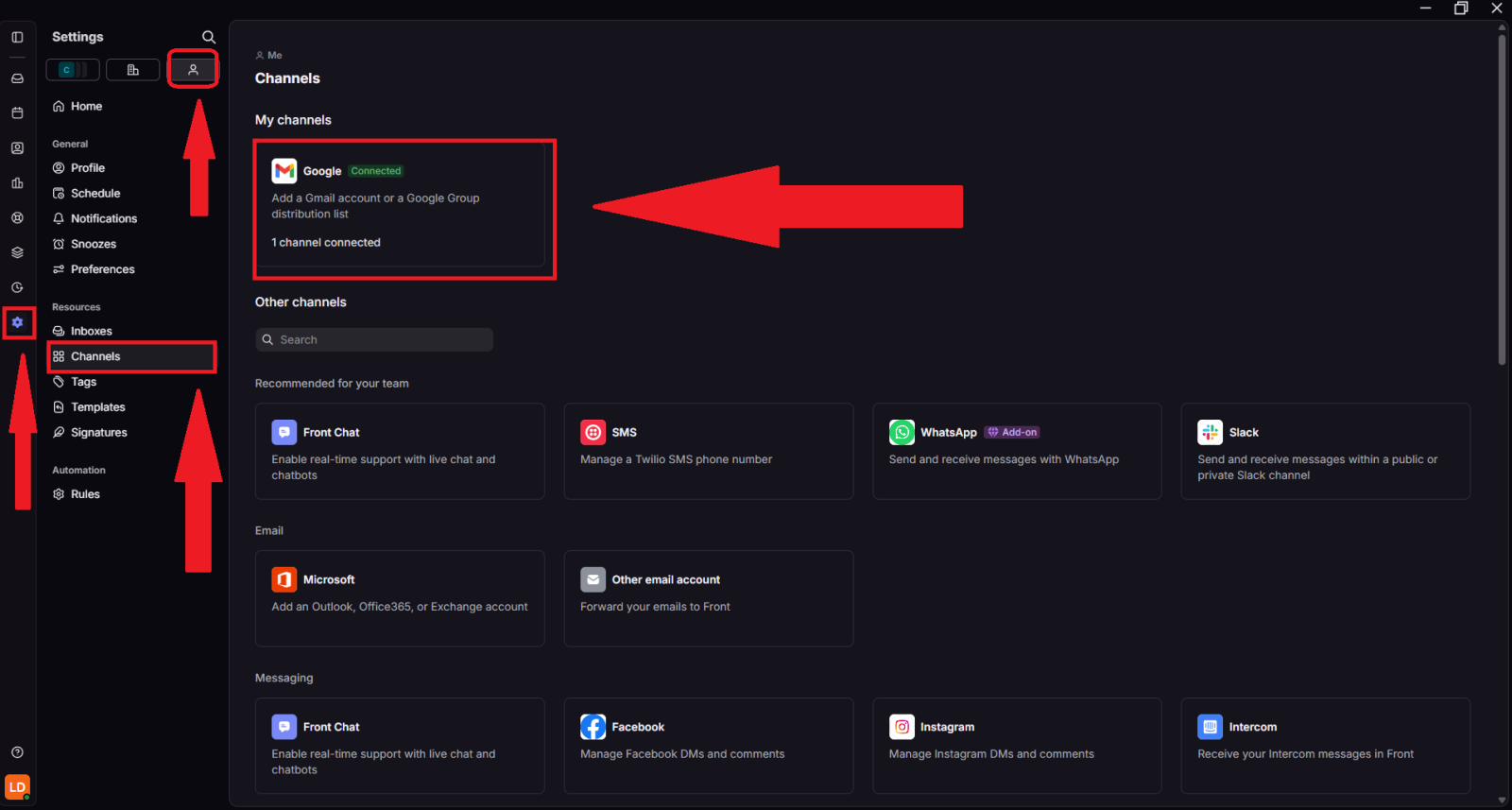
Step 2 — Go to Inboxes
From the settings menu, select Inboxes.
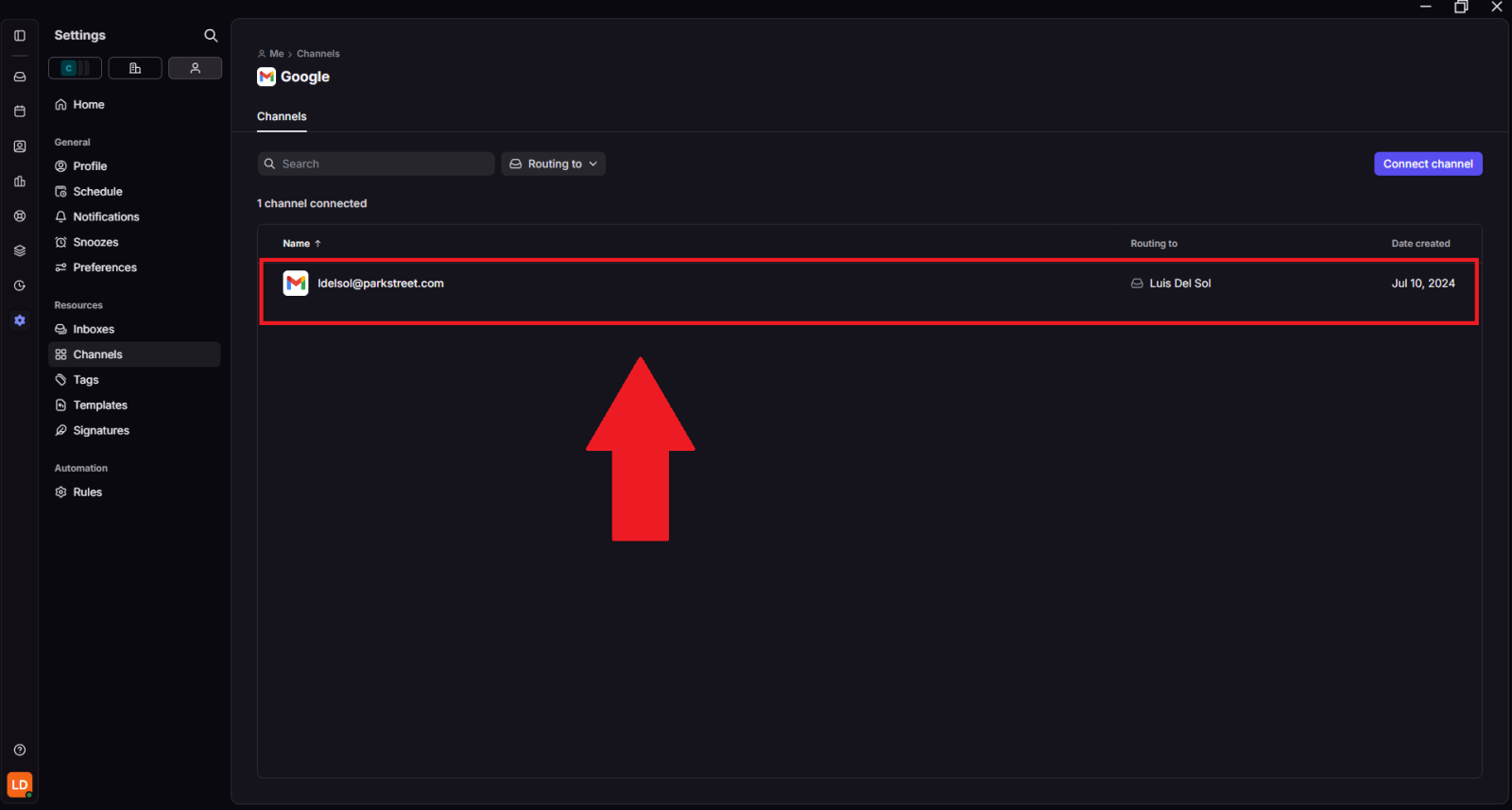
Step 3 — Open your Front settings
In Front, open your personal settings from the left-side menu.
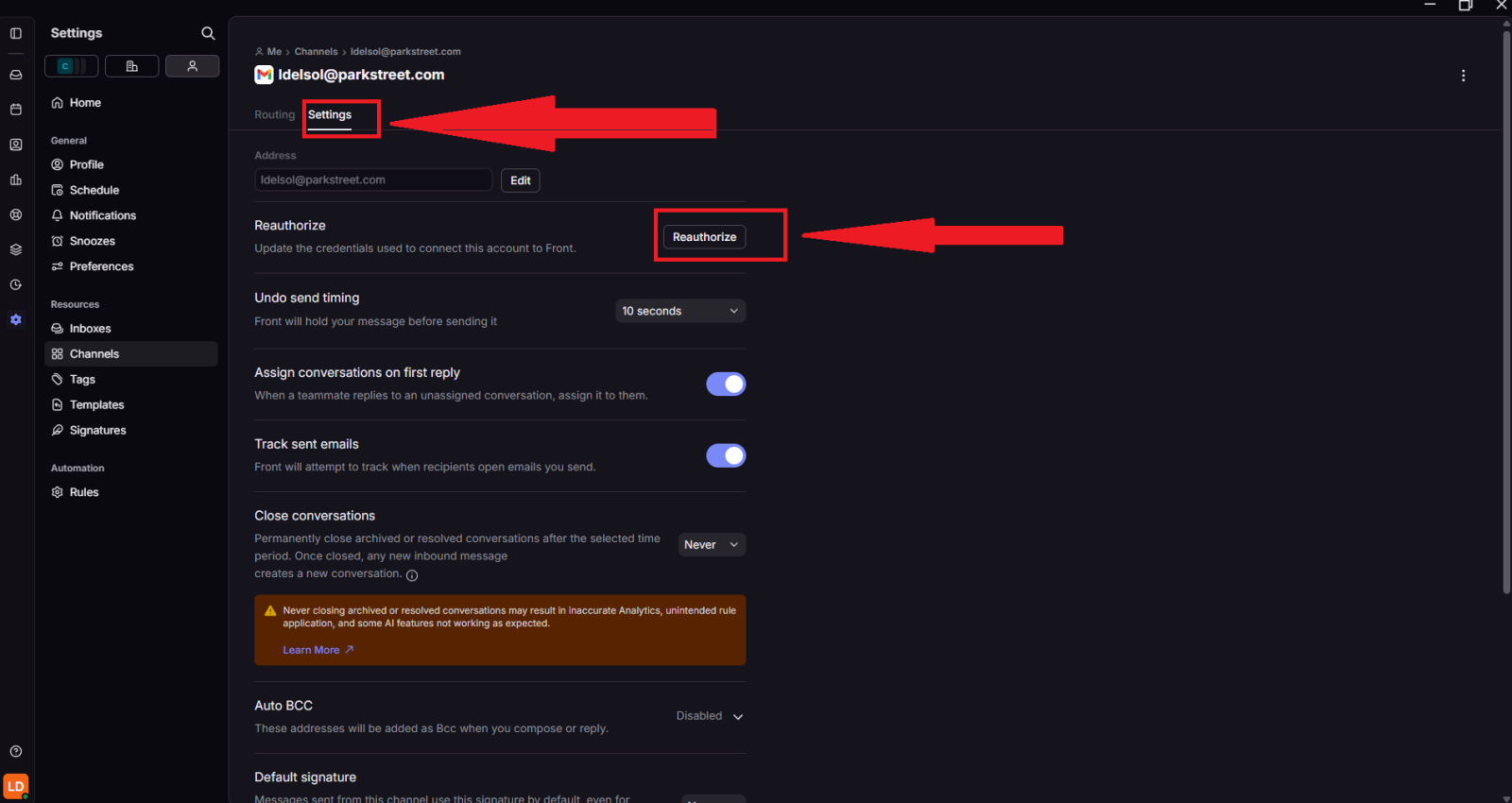
Step 4 — Select your Gmail inbox
Select the inbox connected to your Park Street Gmail account.

Step 5 — Reauthorize the Gmail connection
Open the Gmail channel or connection settings, then select Reauthorize.
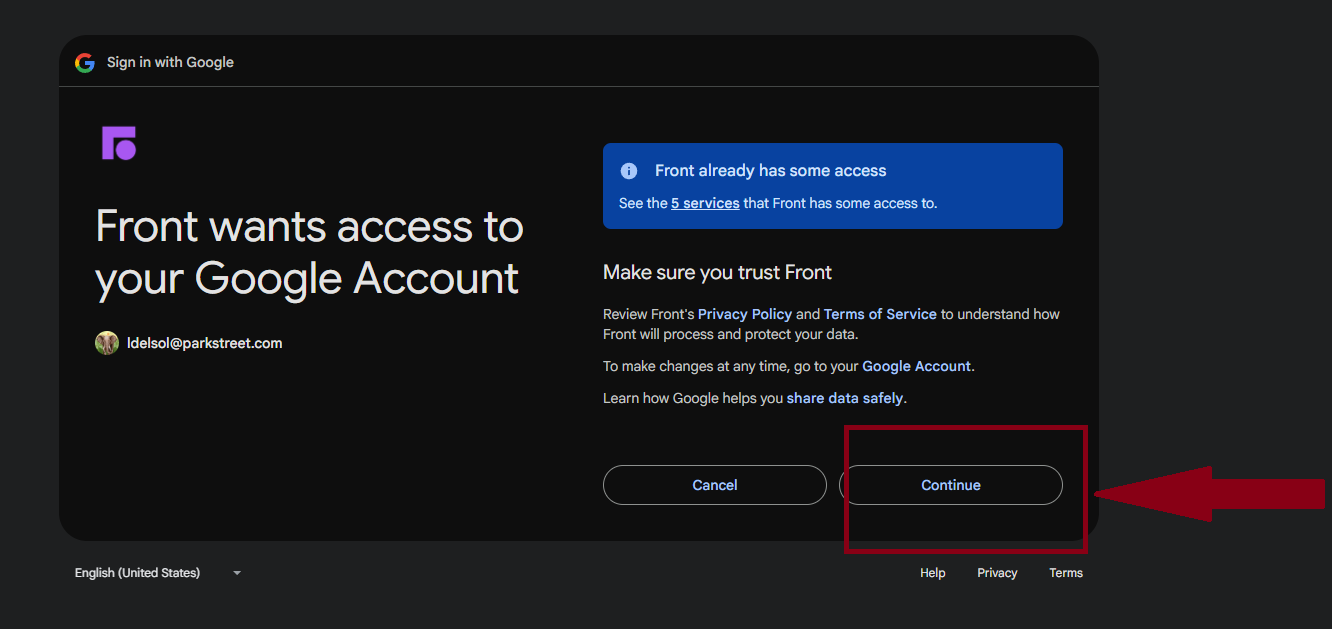
Step 6 — Allow Front access to your Google account
A Google authorization window will open. Sign in if prompted, then allow Front the required permissions to reconnect to your Gmail account.
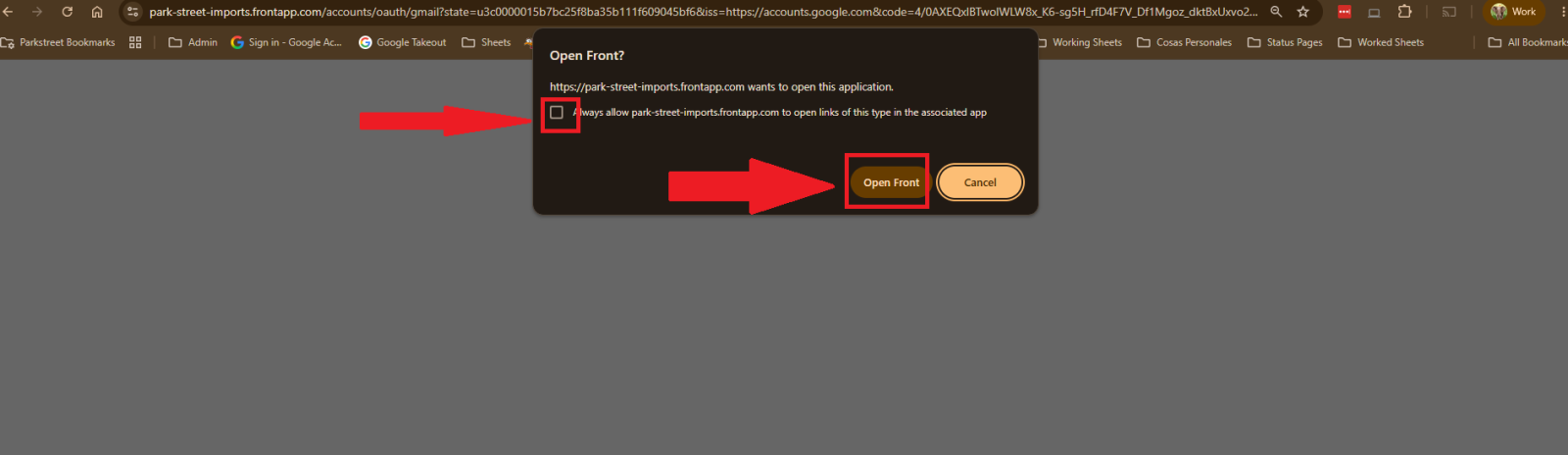
After reauthorization
Once the authorization is complete, Front will begin receiving emails again. Any emails received while Front was disconnected should sync after the connection is restored.
If emails still do not appear in Front after reauthorization, refresh Front and compare the inbox with Gmail again. If the issue continues, contact IT for assistance.