- Access Gmail Settings:
- Open your Gmail account.
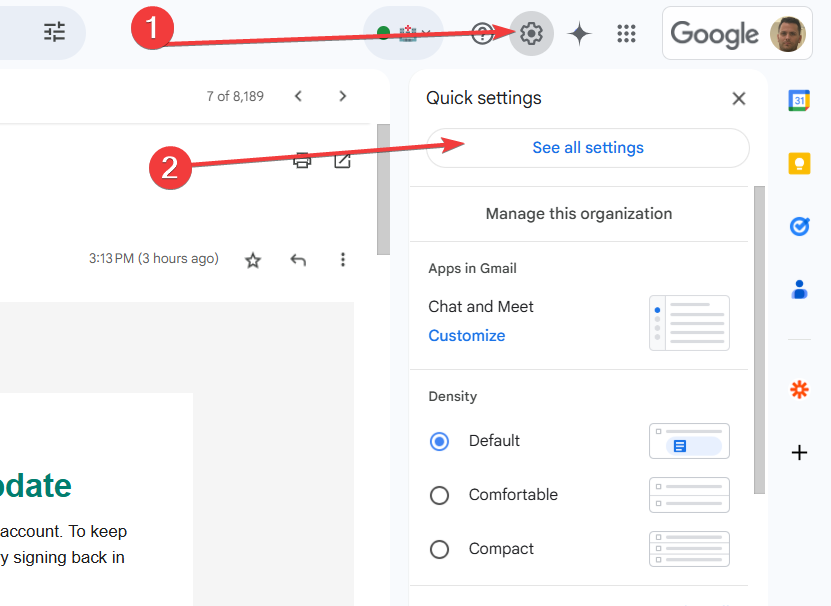
- Click on the Settings (⚙️) icon in the upper-right corner.
- Select See all settings.
- Navigate to Accounts and Import:
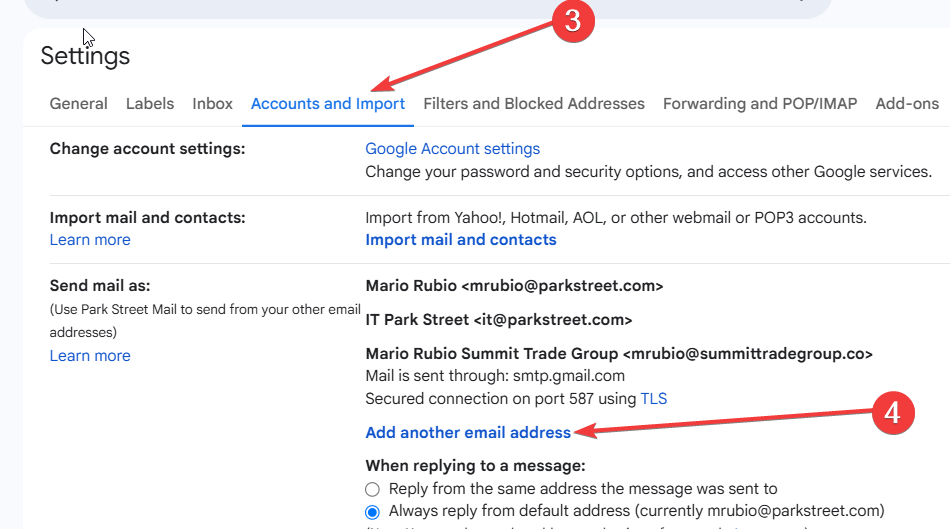
- In the settings menu, click on the Accounts and Import tab.
Add the Group as an Alias:
- Under the Send mail as section, click Add another email address.
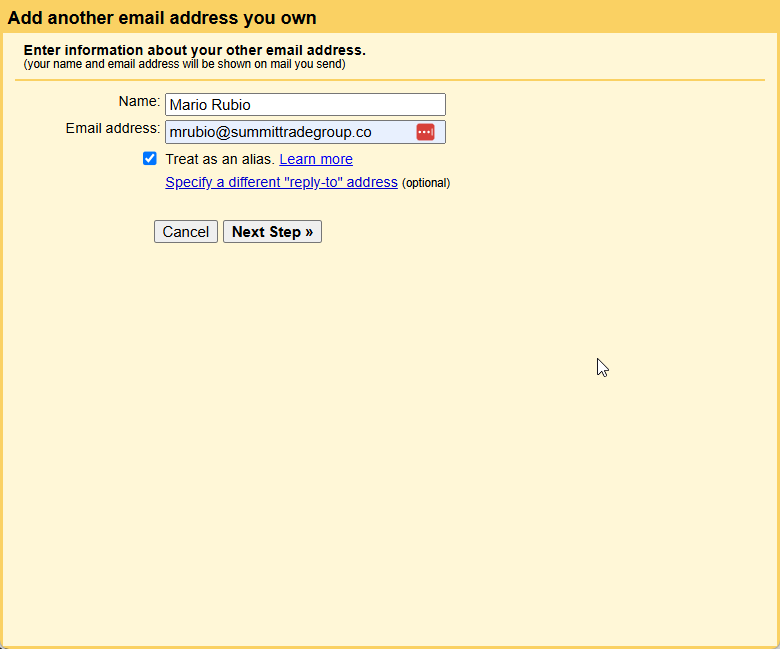
- Enter the name you want to display and the group email address.
- Click Next Step and Send Verification.
Confirm the Email Address:
- A confirmation email will be sent to the group email address.
- Open the email and click the verification link or enter the provided code in Gmail settings.
Select the Group as the Sender:
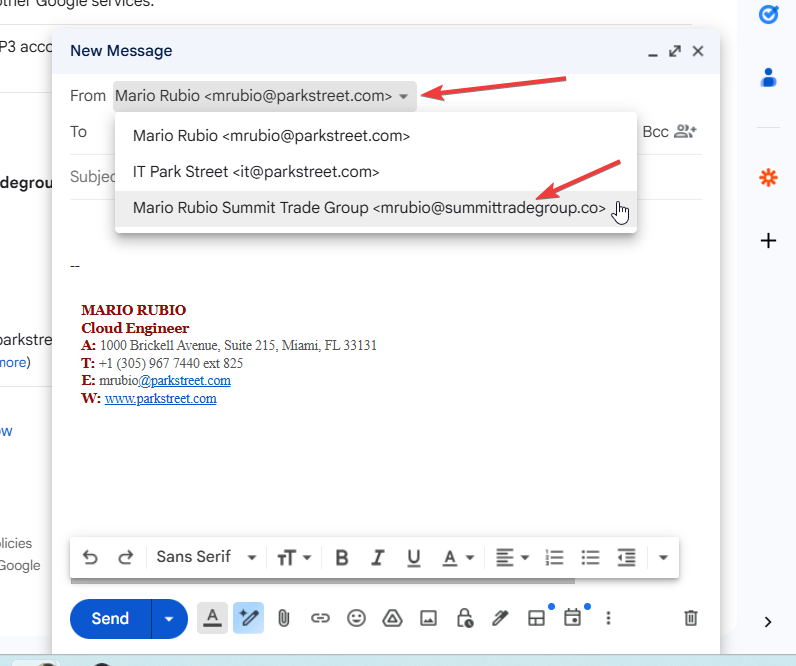
- Once verified, you can choose the group email address from the From field when composing new messages.