
This guide is intended to help you add your Park Street email to Front after permissions were not successfully granted.
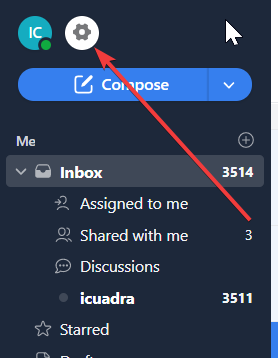
1. Click on the settings logo on the top left of the Front screen:
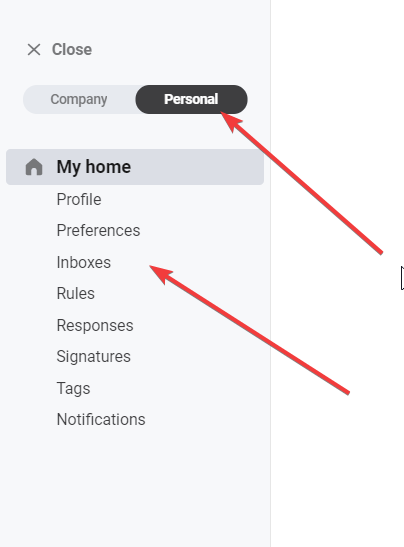
2. Select Personal Settings and then select Inboxes
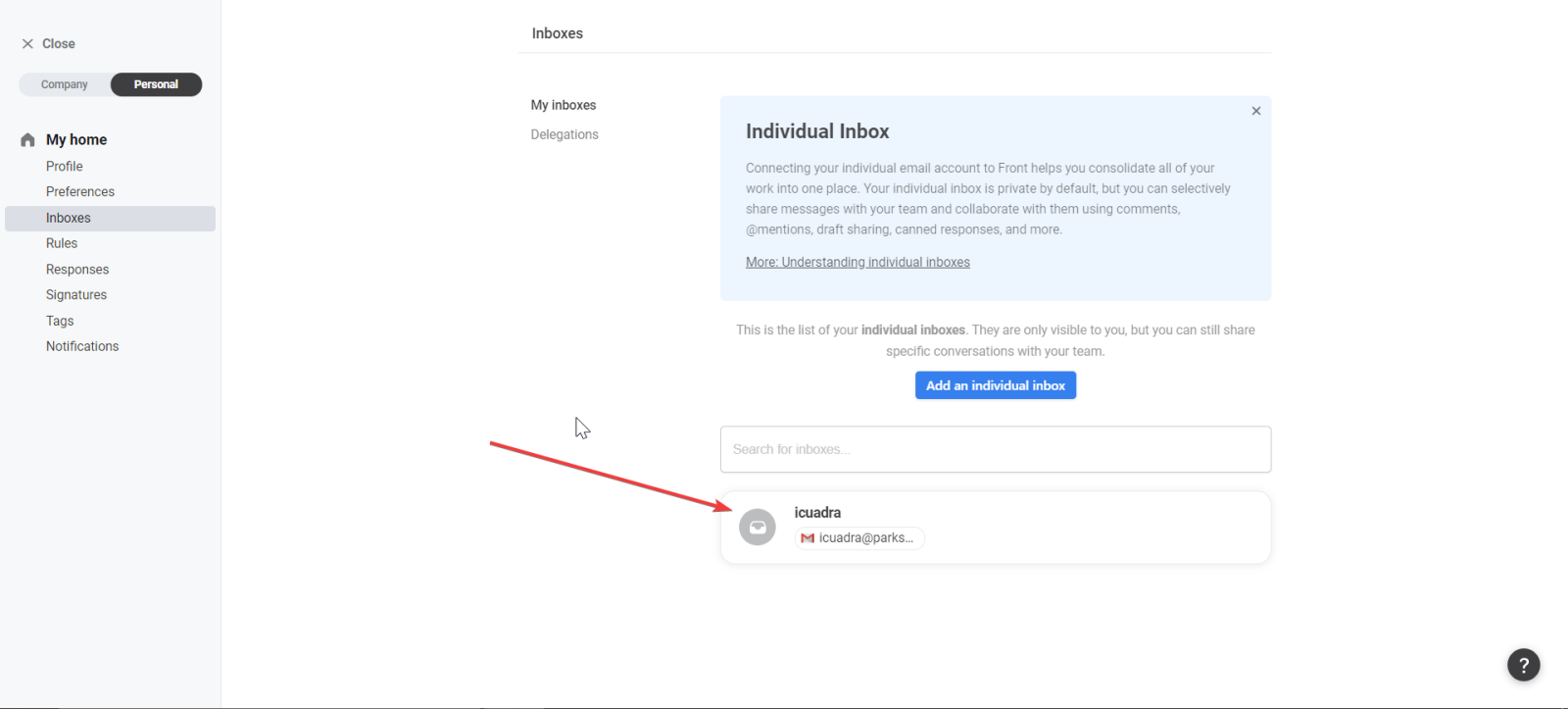
3. Select the option that appears in this list, if not initiated correctly, there will not be a Gmail logo in the inbox.
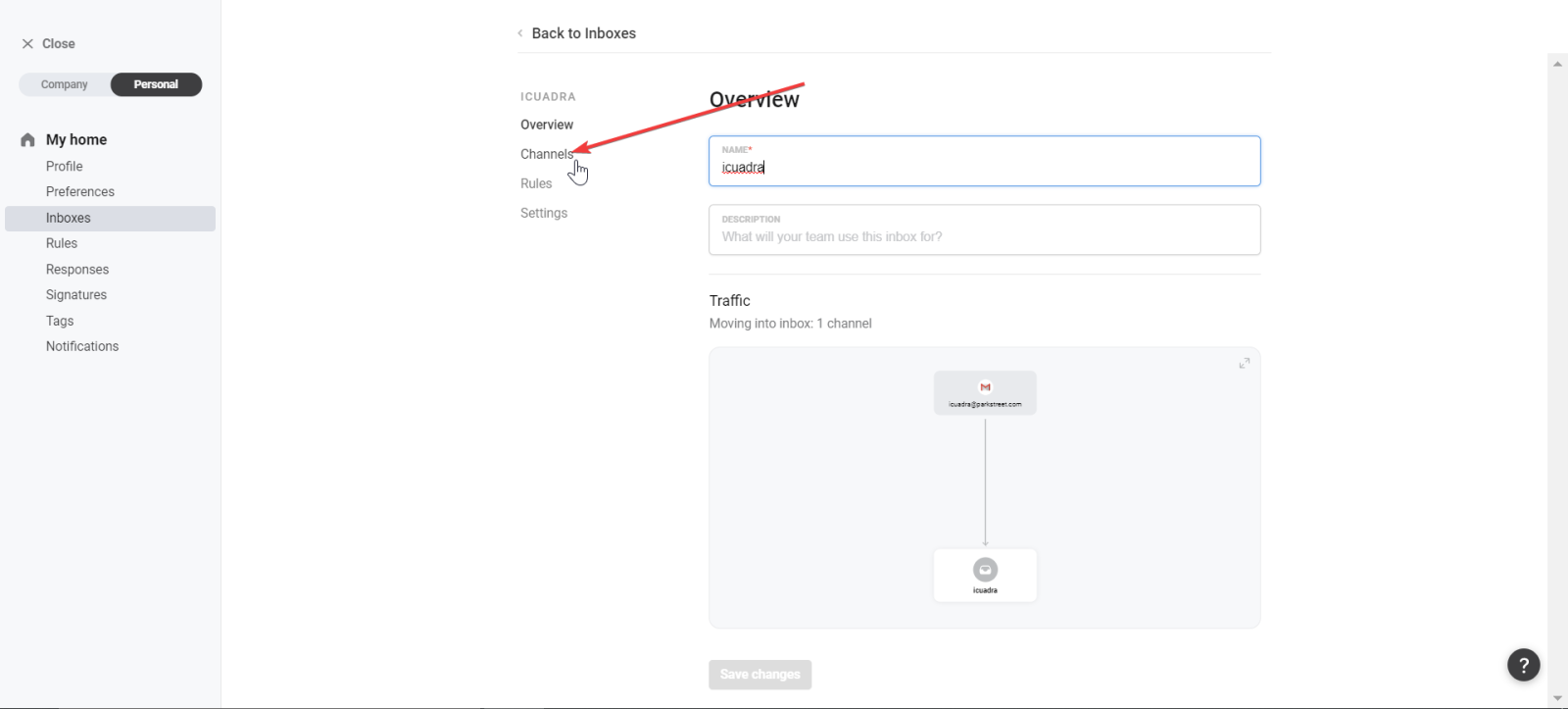
4. Select Channels
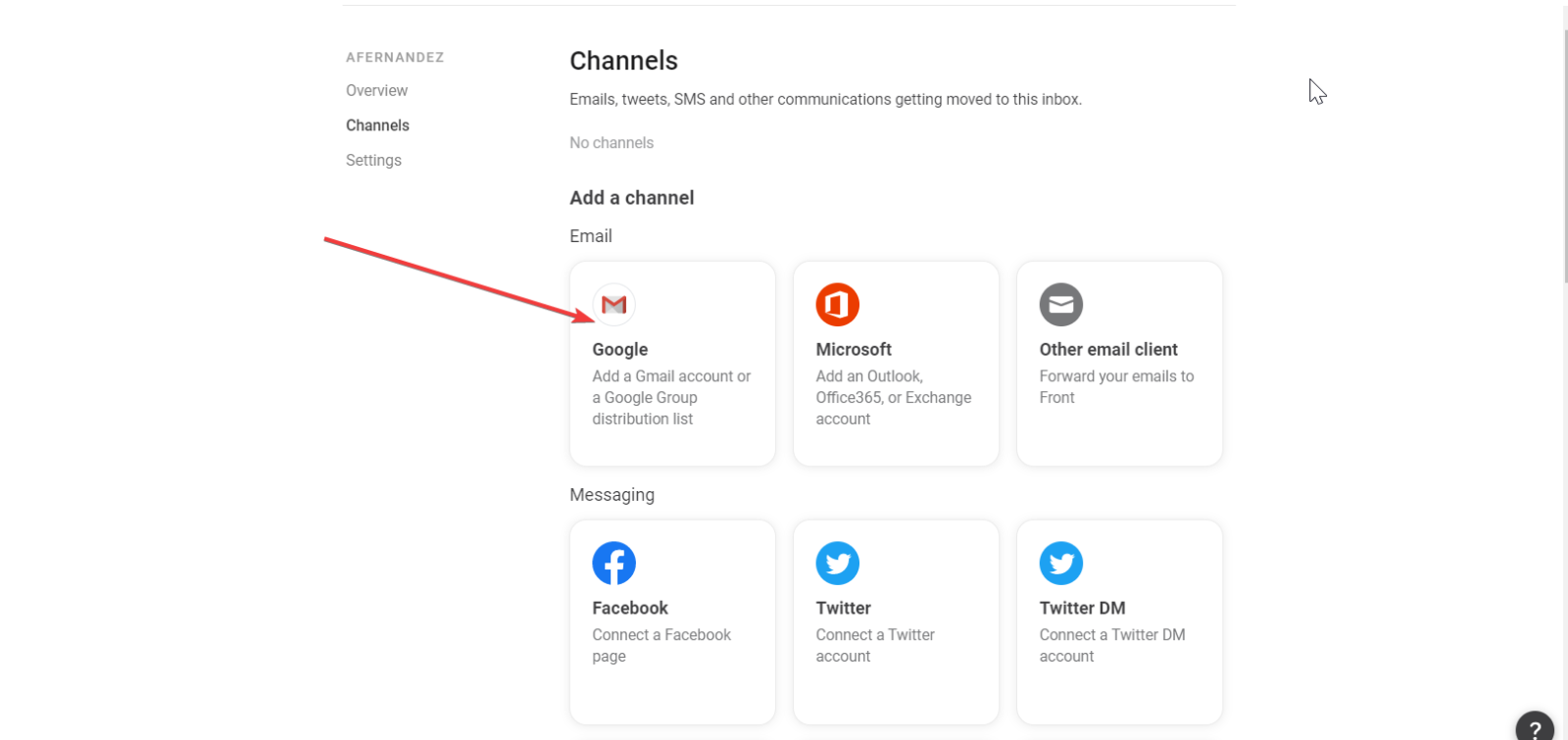
5. Select the Google option
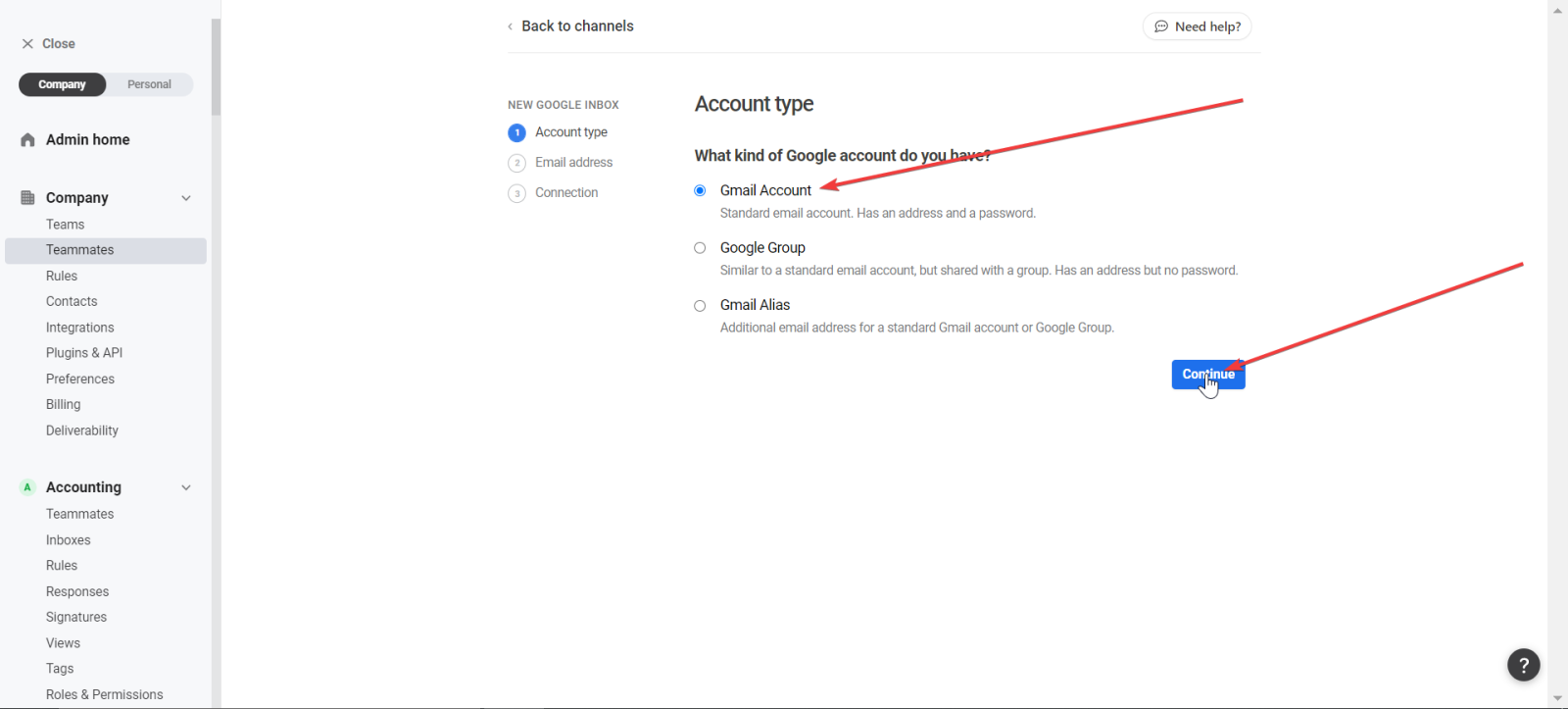
6. Select Google Account and then click Continue
7. Select the sign-in with Google option
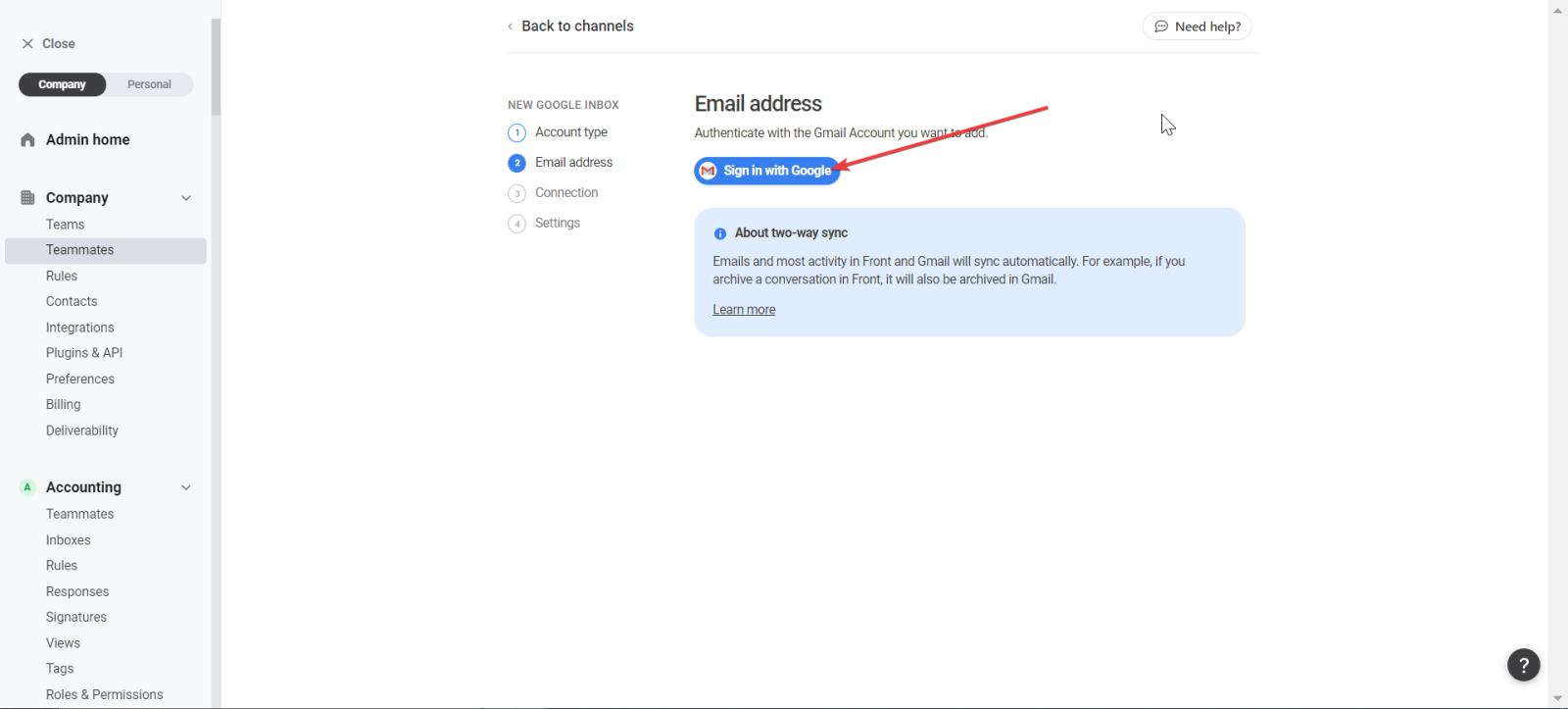
Once you select this option, you will have to log in with Google and allow Front to access your emails.