
From time to time, Chrome needs to be updated in order to function correctly. Although sometimes it updates on it’s own, it may required to update and relaunch Chrome manually in order to fully have it working properly.
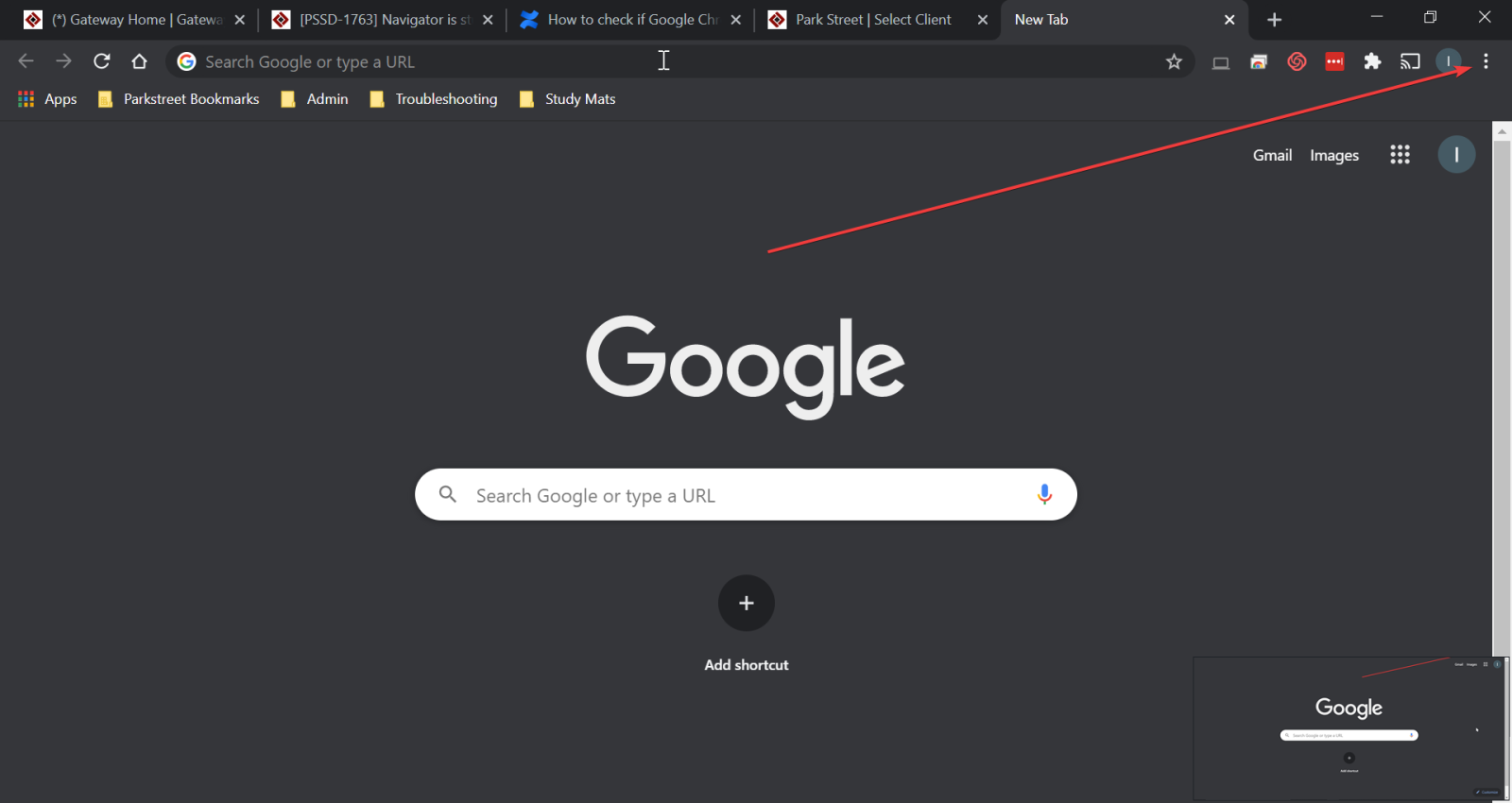
- To check if it’s up to date, first go to the settings of Chrome by clicking on the small three dots on the top right of Chrome:
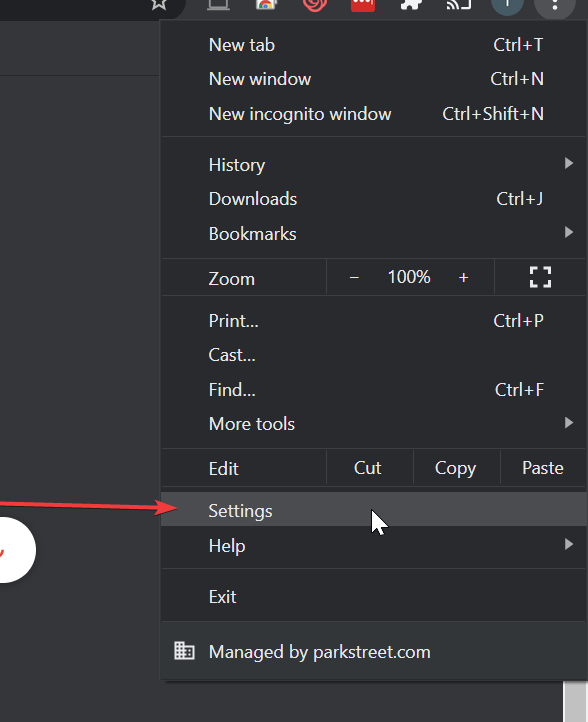
- Then click on Settings:
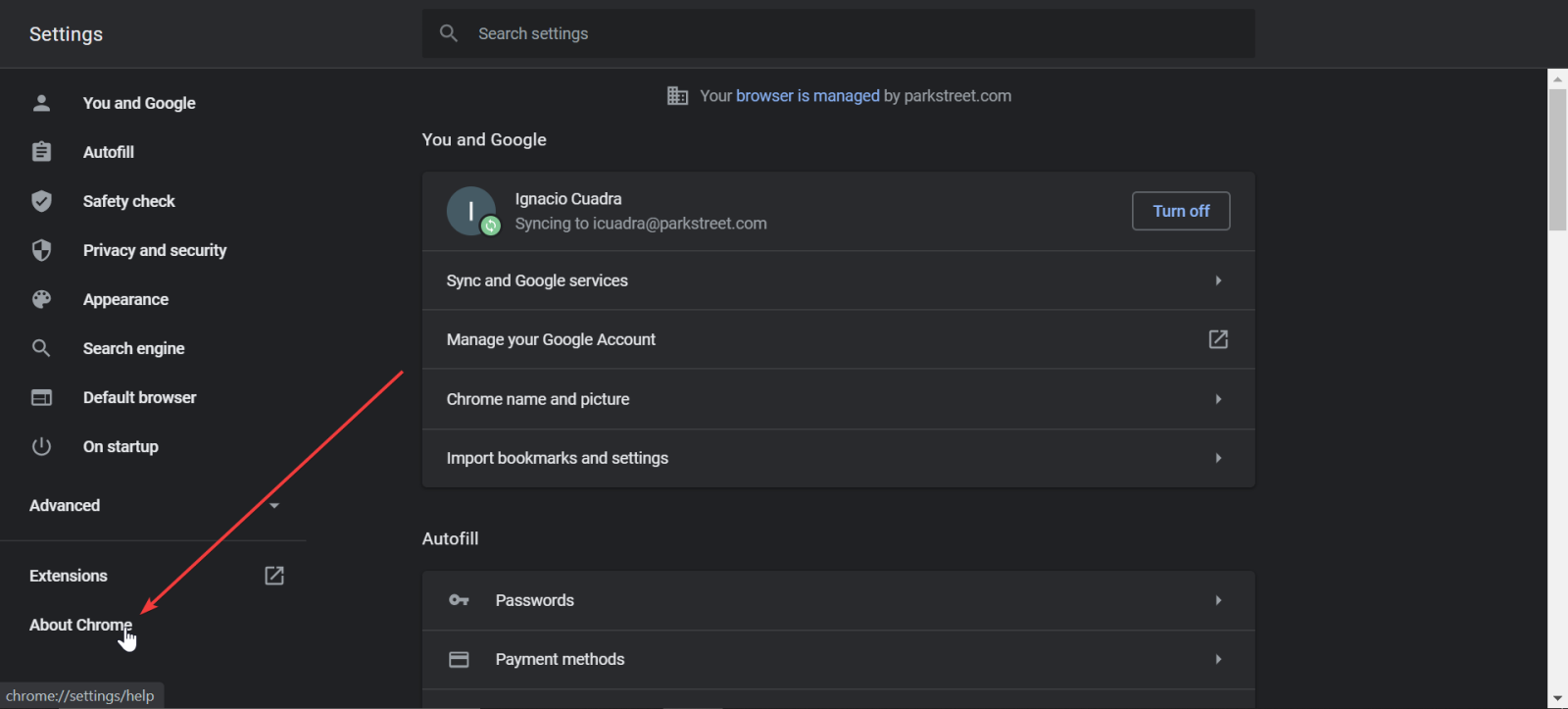
- In the following screen, click the section on the left hand side called About Chrome:
- Finally, the top of the screen shows us if Chrome is already up to date or if it requires an update and needs to be relaunched:
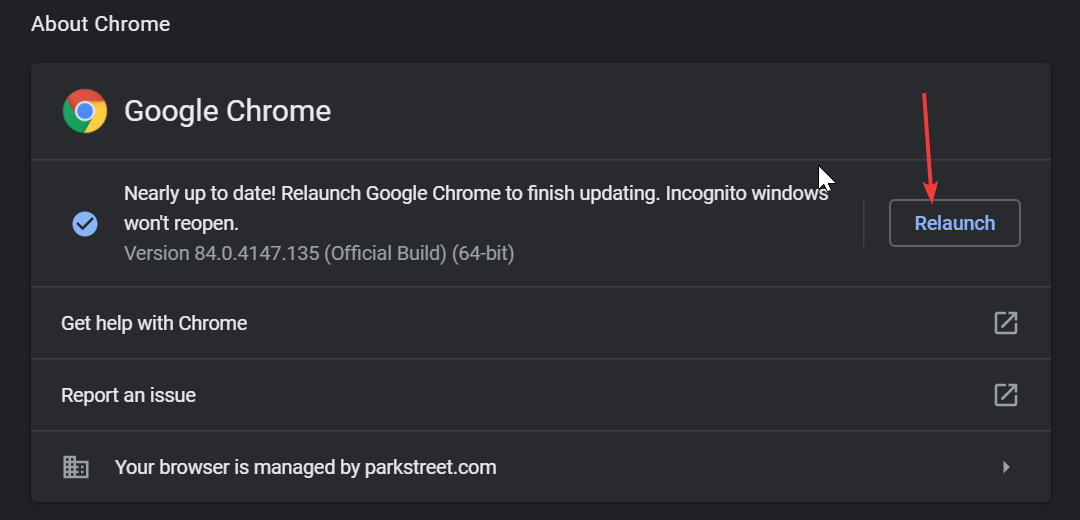
Once it is relaunched, it should open any previous tabs that were closed due to relaunching Chrome. It is a good practice to check this from time to time to ensure that Chrome is working efficiently.