
This article will guide you step by step on how to extend your screen to use with 2 monitors.
Instructions
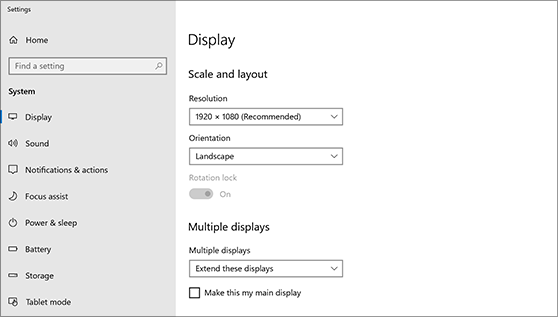
- Right-click anywhere on your desktop and select Display settings to open the Display page. Your PC should automatically detect your monitors and show your desktop. If you don't see the monitors, select Detect.
- Scroll down to Multiple displays, then select an option from the drop-down list to determine how your desktop will display across your screens. For the largest work area, select Extend desktop.
- Select Keep changes.
- Scroll up to Resolution and select an option. We suggest that you use the recommended resolution settings.
- Select Keep changes.
If you still need help please submit a service desk request.