If you’re having issues with the built-in microphone not working you can check here to Enable or Disable it.
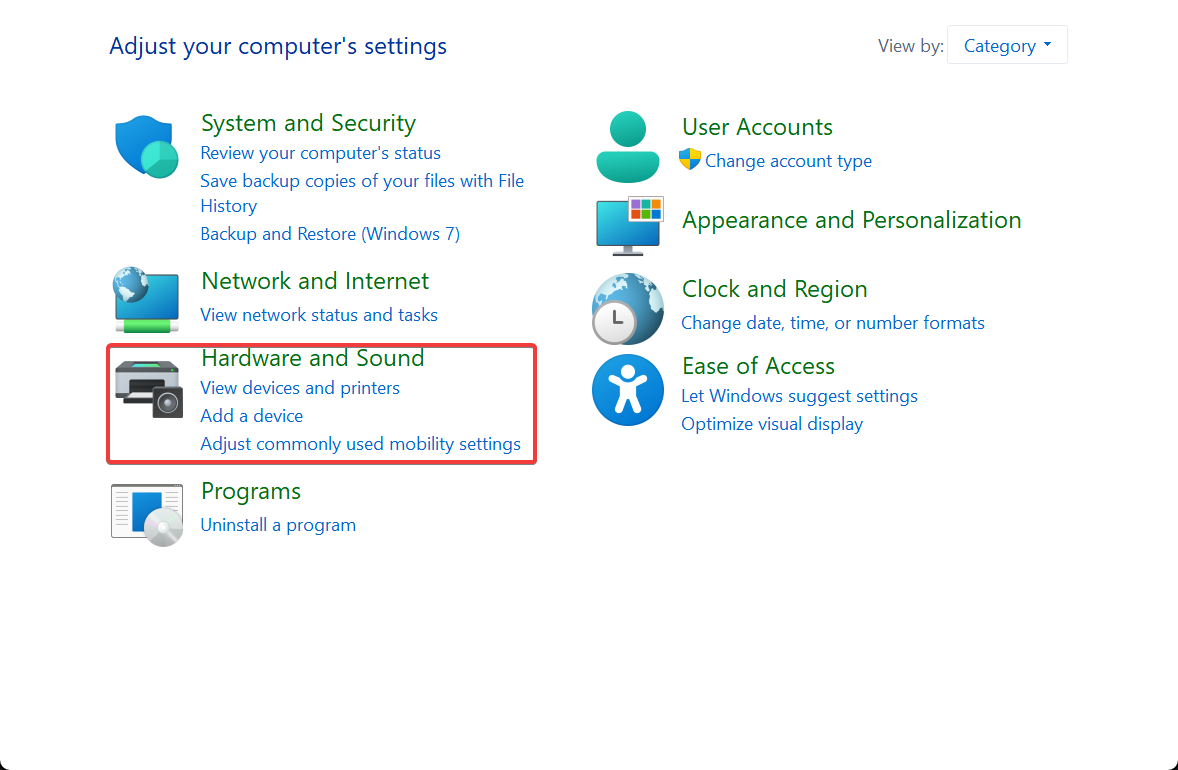
- On the windows bar at the bottom of your screen, search for “Control Panel” then click on “Hardware and Sound”
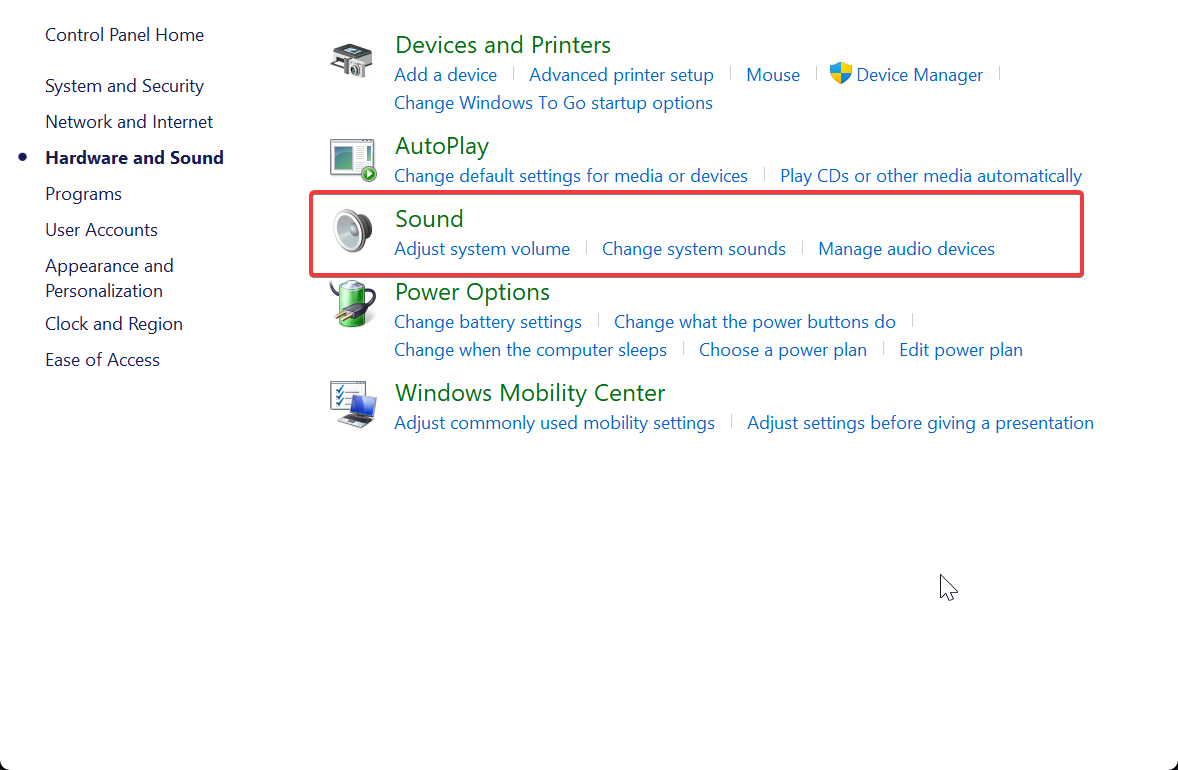
- Once there you can select “Sound”
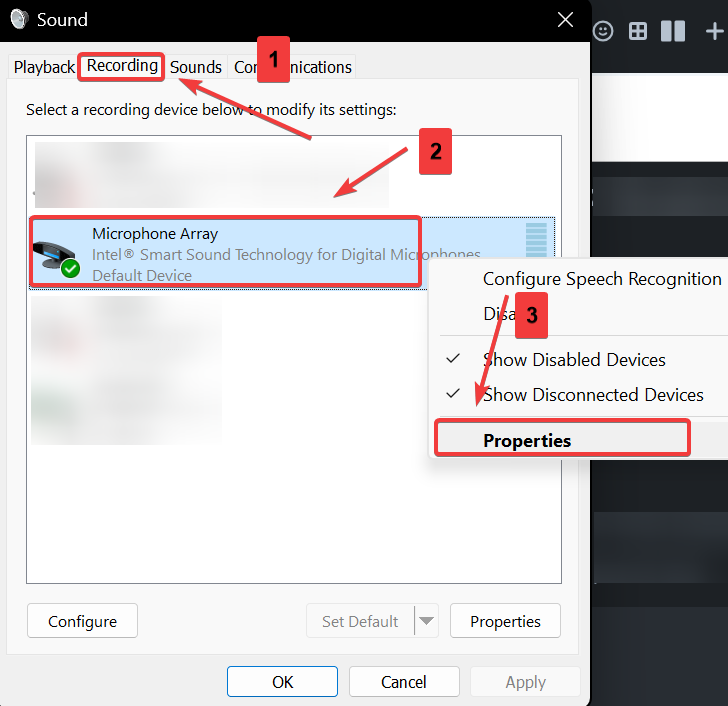
- From there go to the “Recording” tab and RIGHT CLICK “Microphone Array” and select “Properties”
- Select the “Levels” tab and make sure the Volume Icon is not muted
- CORRECT:
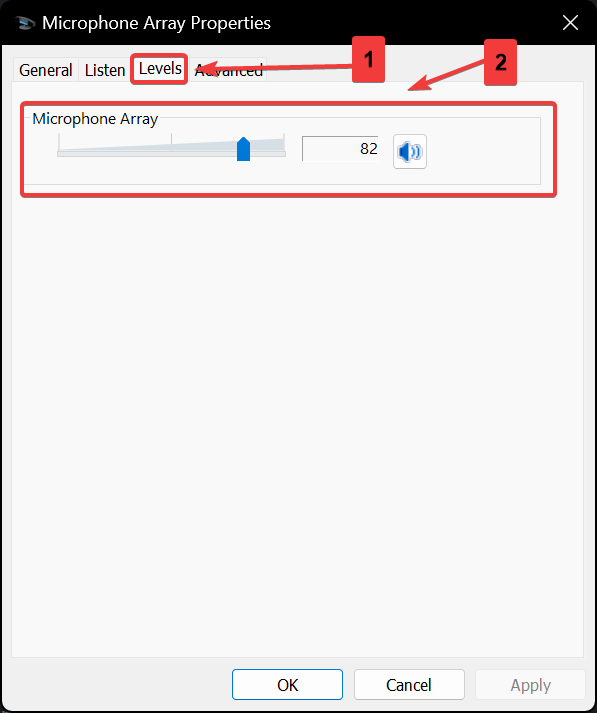
- INCORRECT:
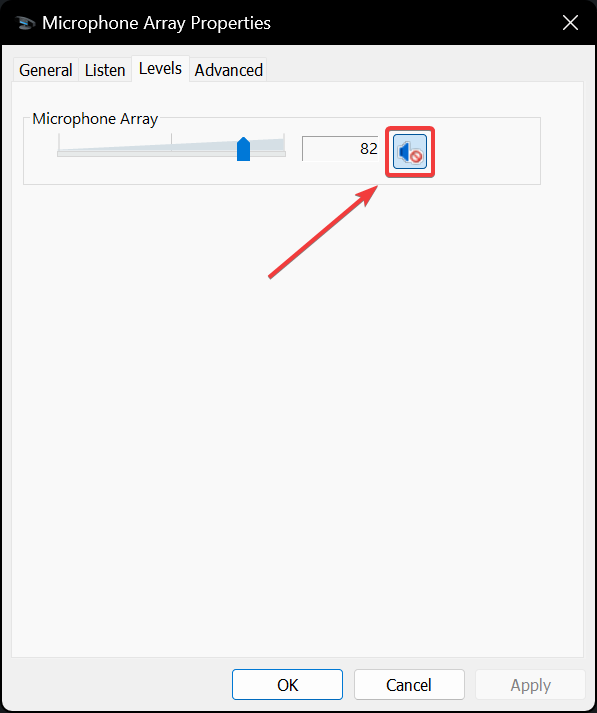
- CORRECT:
- Then hit “Apply” and test the Microphone Audio