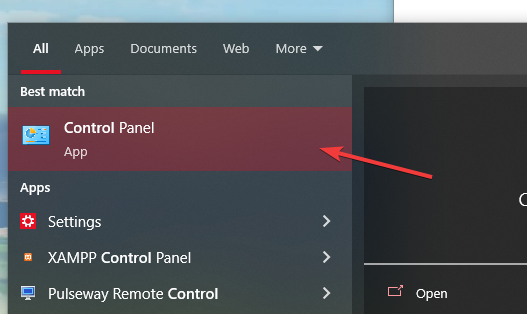
1.- Open “Control Panel”
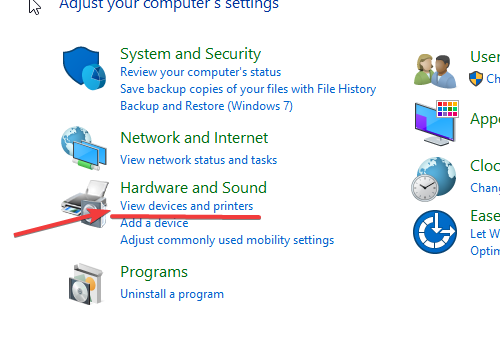
2.- Click on “View devices and Printers”
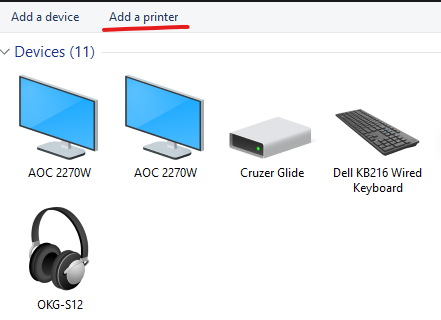
3.- Then, Add a printer
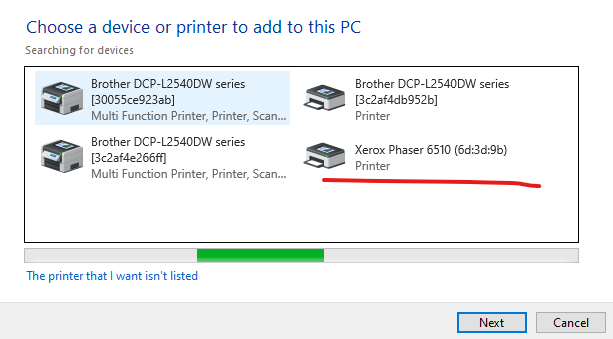
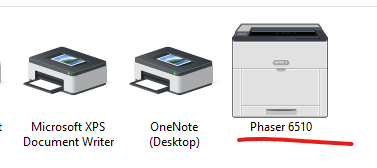
4.- A new window will pop up, select the Printer that you need and click on “Next”
5.- Wait for the device to get Installed, and that’s it.

This site is for Park Street employees only. Sign in with your work Google account to continue.
1.- Open “Control Panel”
2.- Click on “View devices and Printers”
3.- Then, Add a printer
4.- A new window will pop up, select the Printer that you need and click on “Next”
5.- Wait for the device to get Installed, and that’s it.
Open a ticket using Linear Asks from Slack — describe what you need and we'll take it from there.
Open Linear Asks →