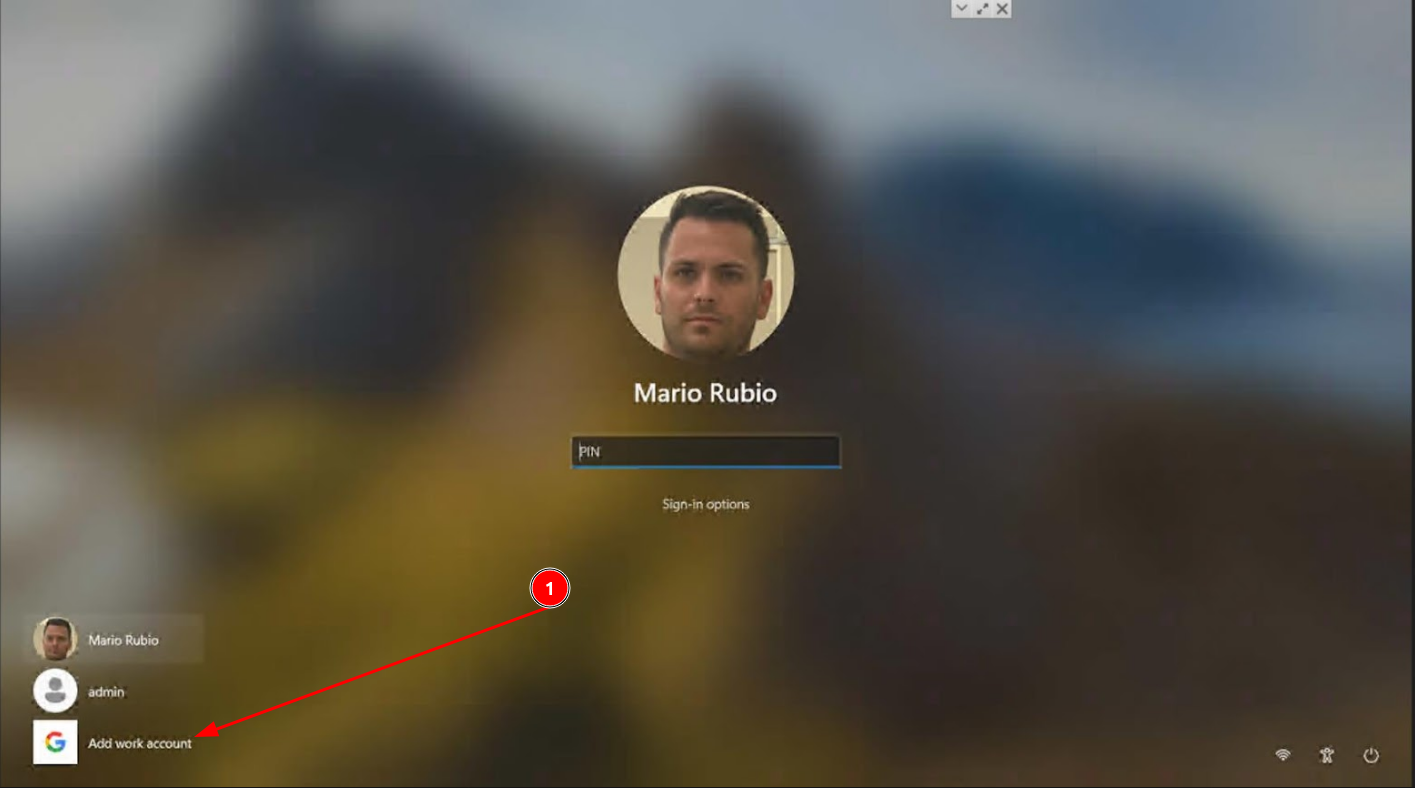
1- Open the PC and go to Add work account
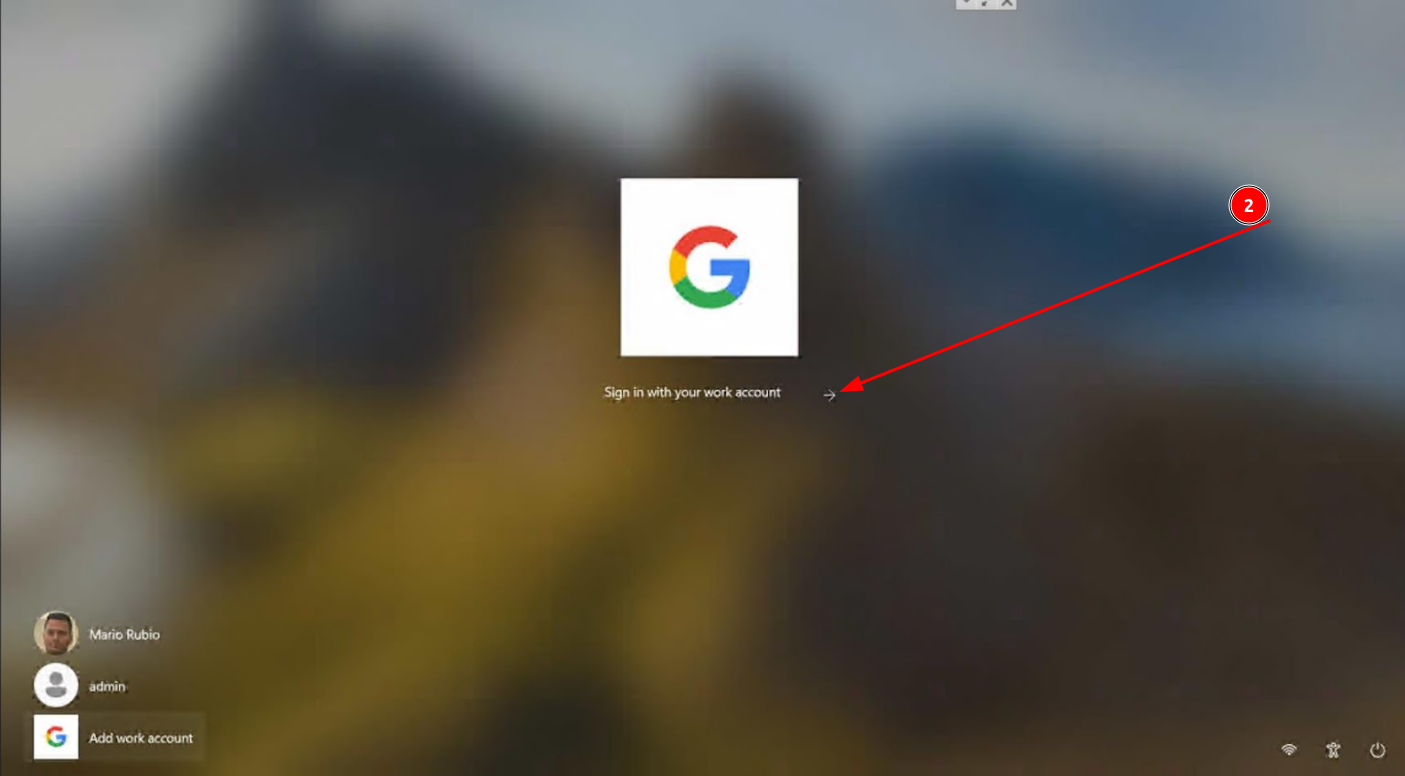
2-Select the sign in arrow
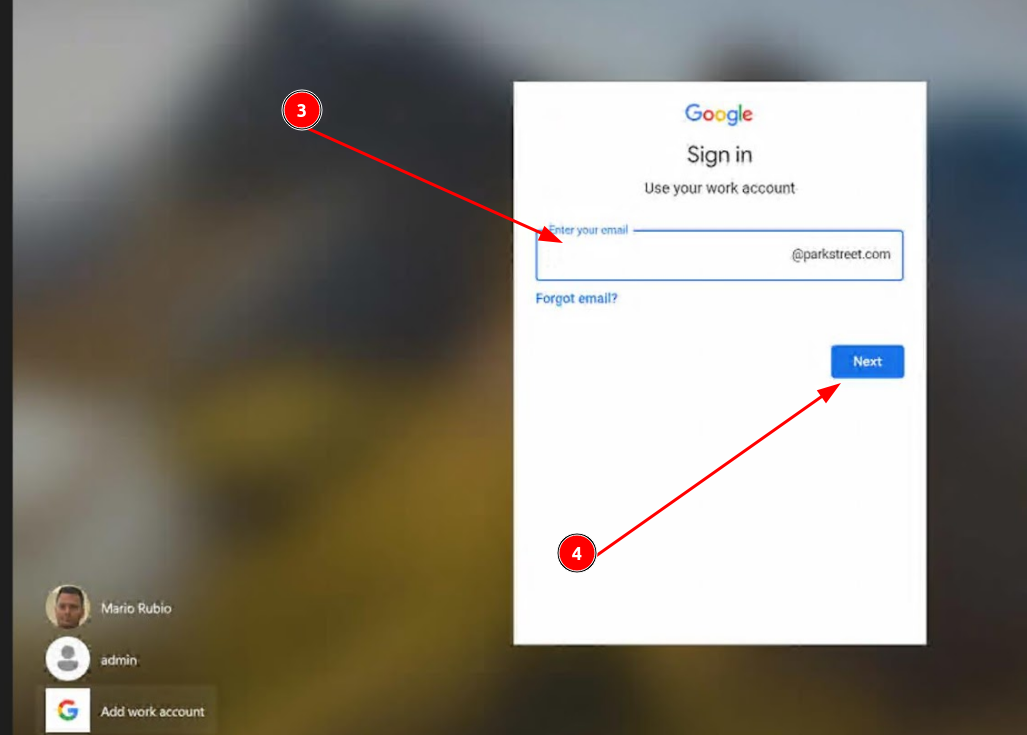
3- Then, enter your user name, which is the first section of your email, e.g., mrubio, and select next to enter your password.
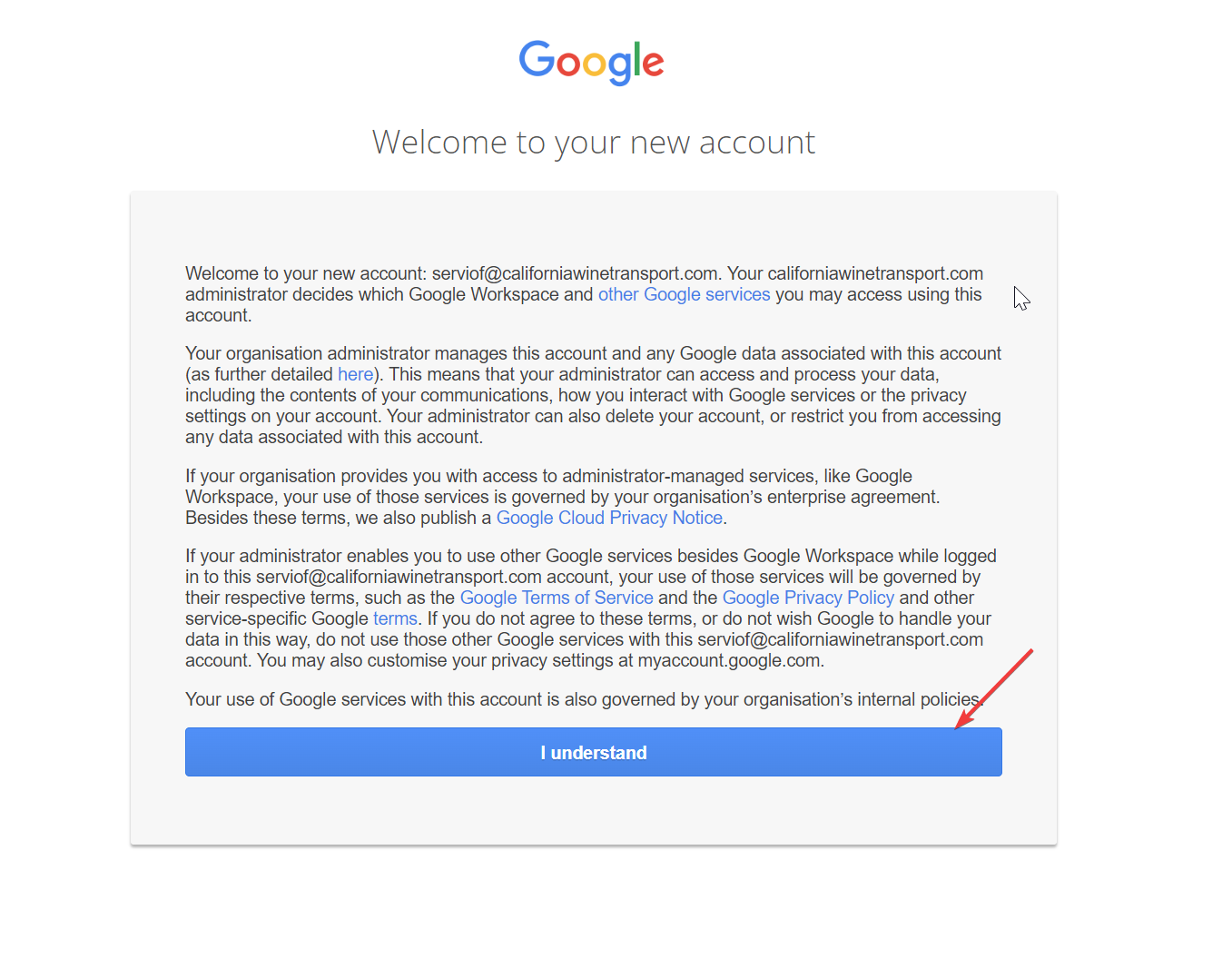
4- Accept this agreement
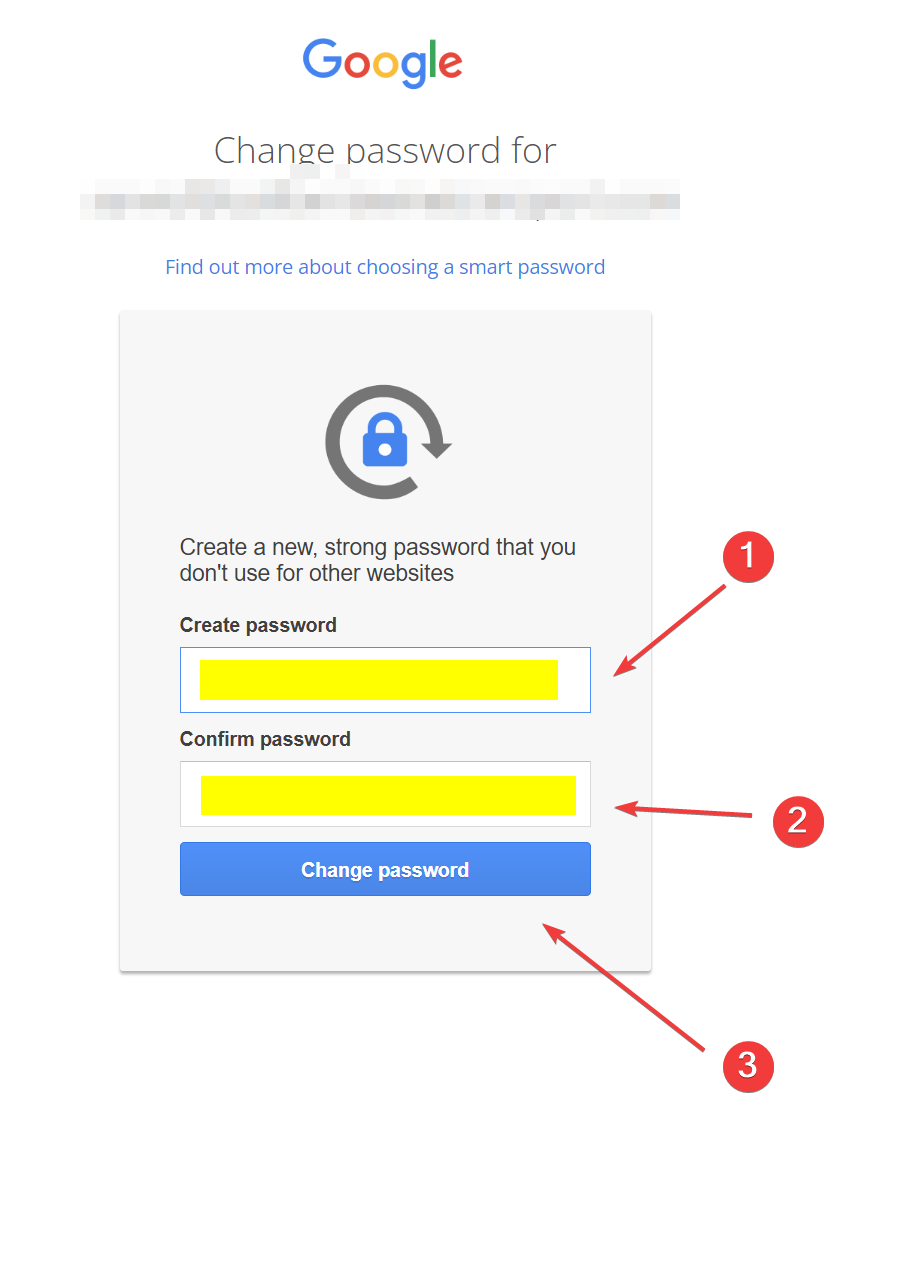
5- Set a new password of your choice for your account.
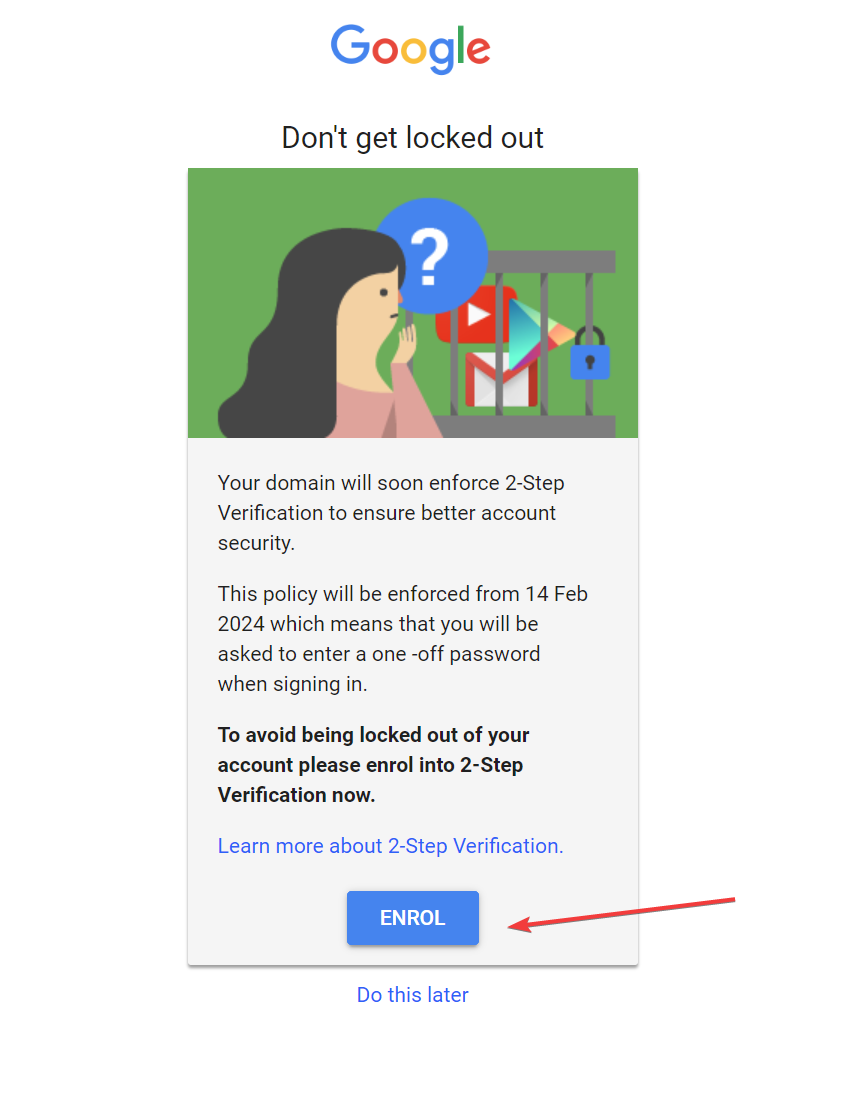
6- Enroll in the 2-step verification
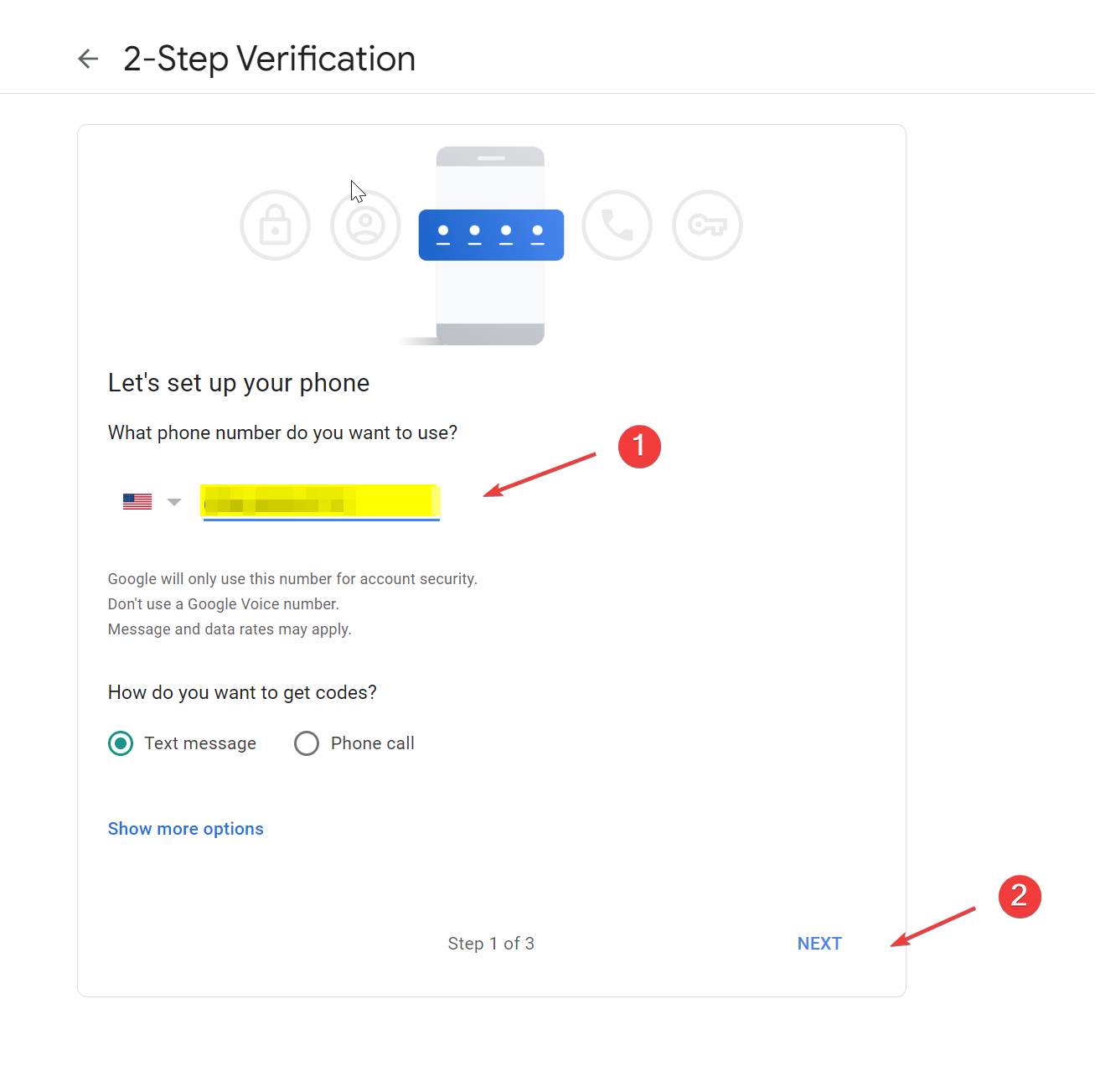
7- Enter a phone number to receive text messages or calls. This number is where the verification code will be sent.
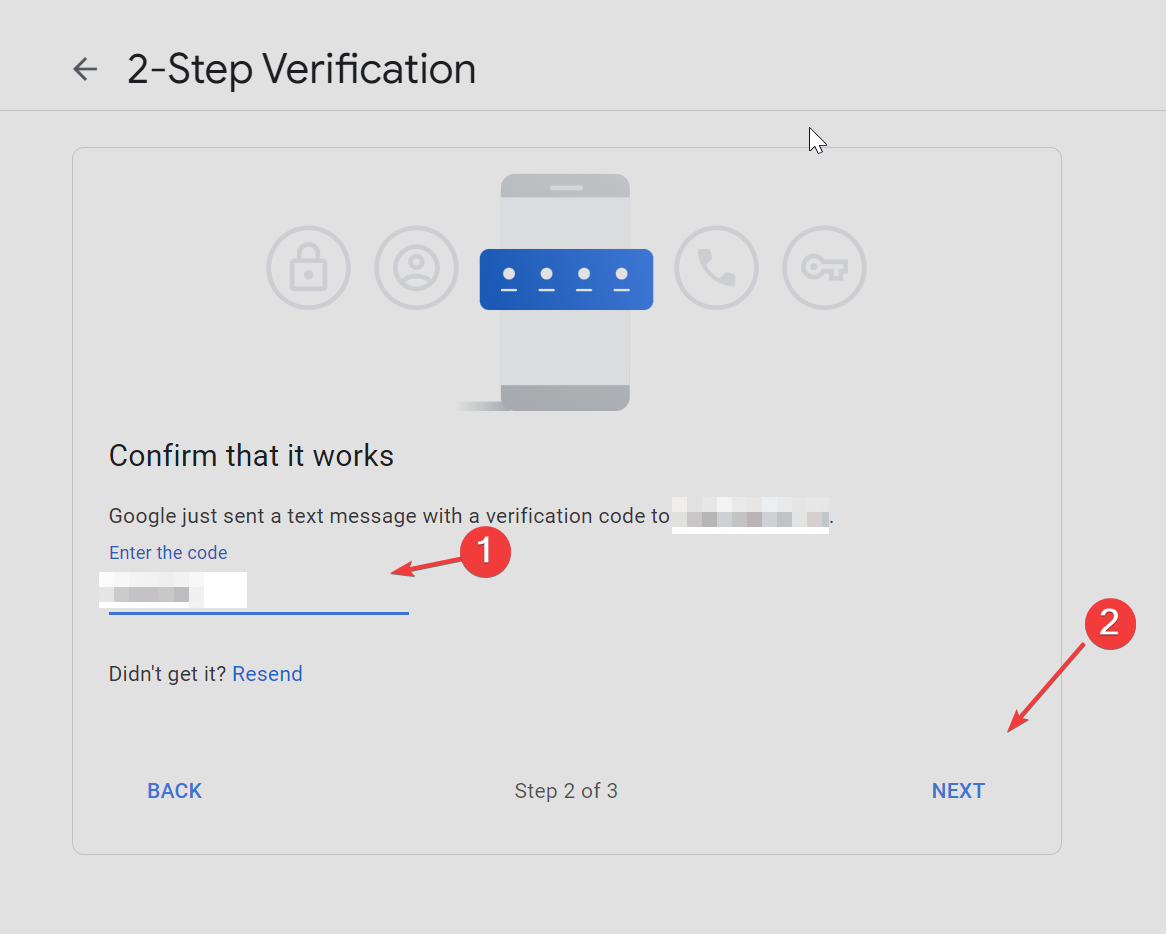
8- Enter the verification code and click next
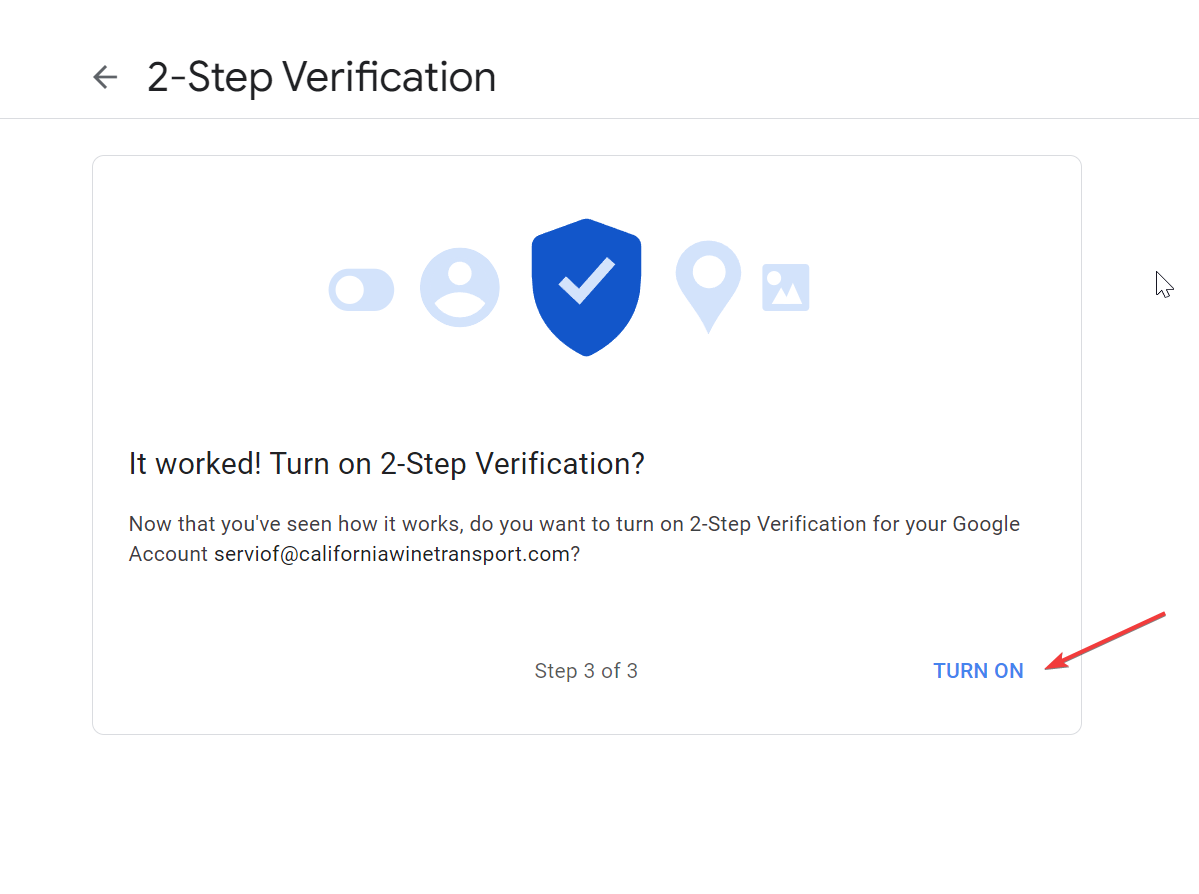
9- Click on Turn on