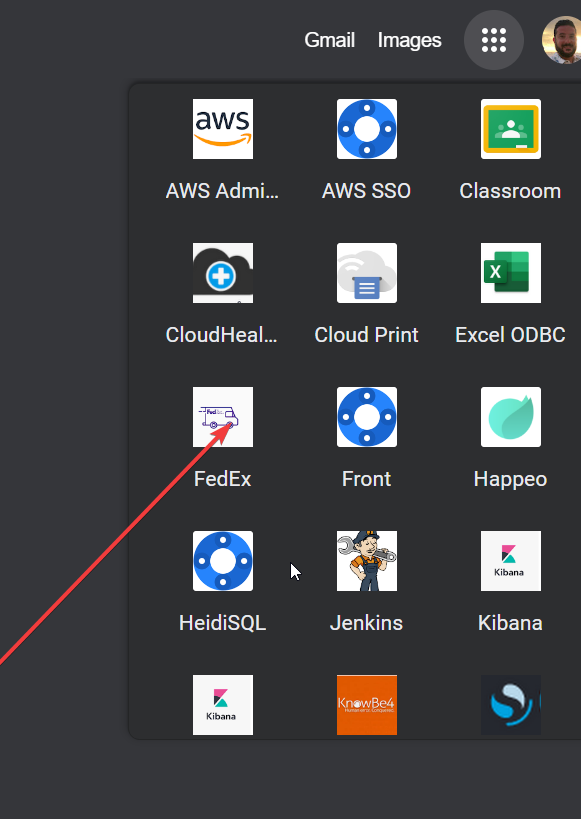
1- Go to Fedex on the 9 dots.
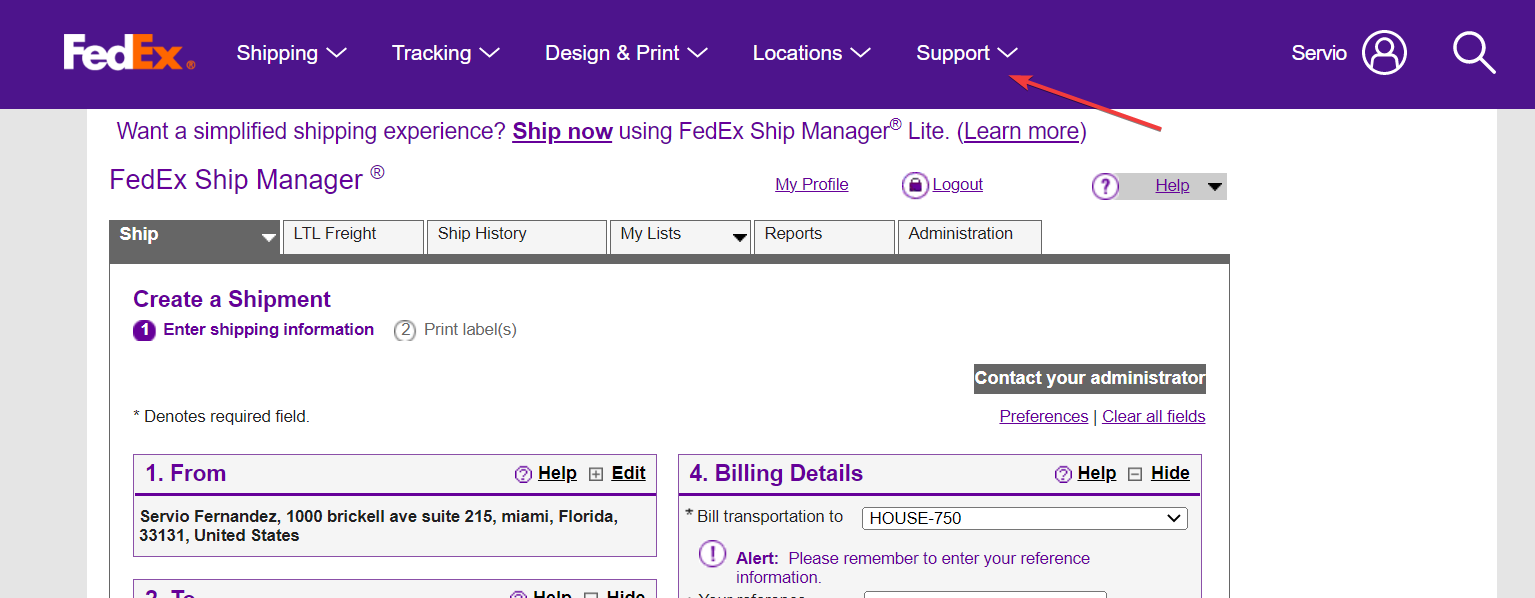
2-Go to support.
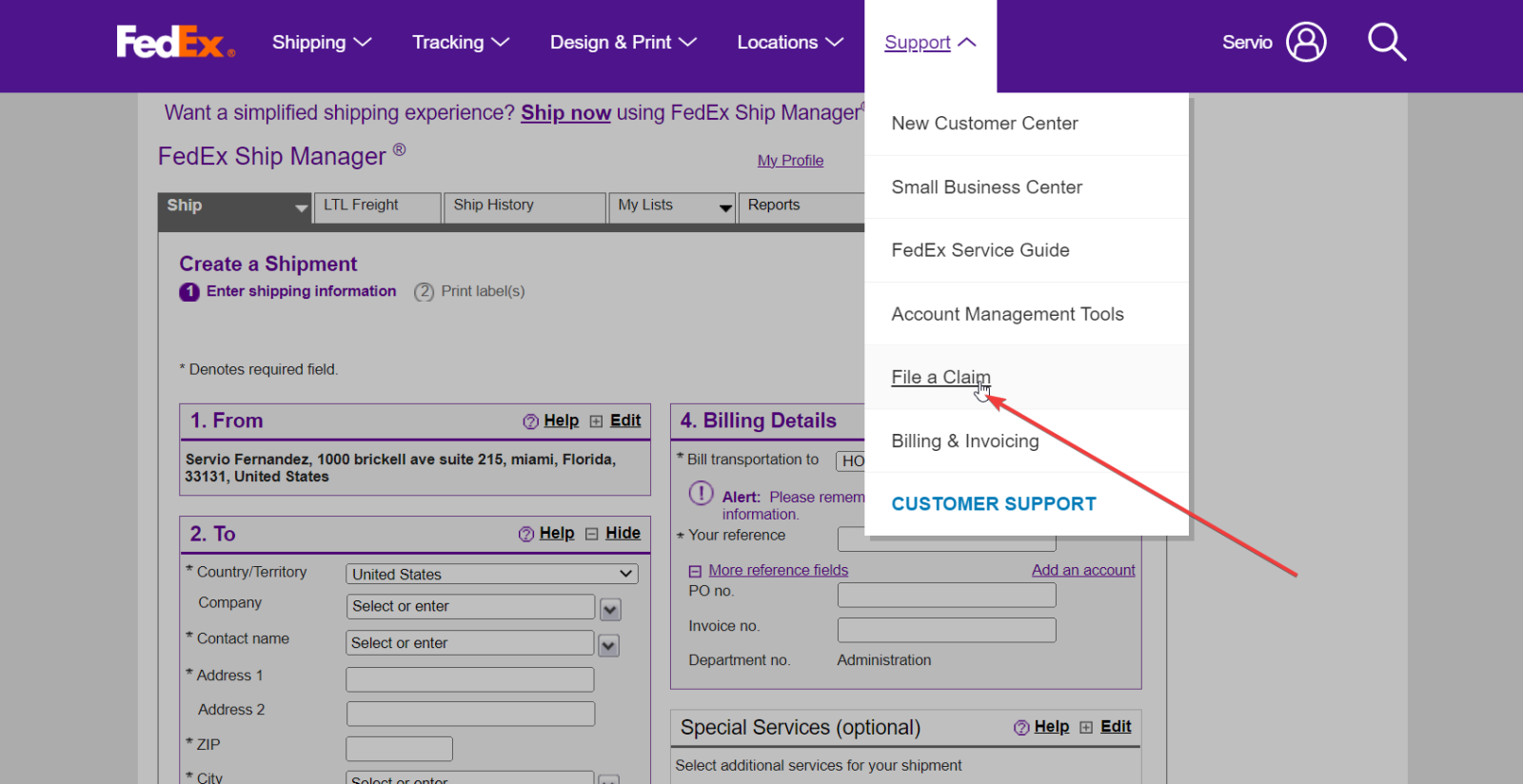
3- Click on File a claim.
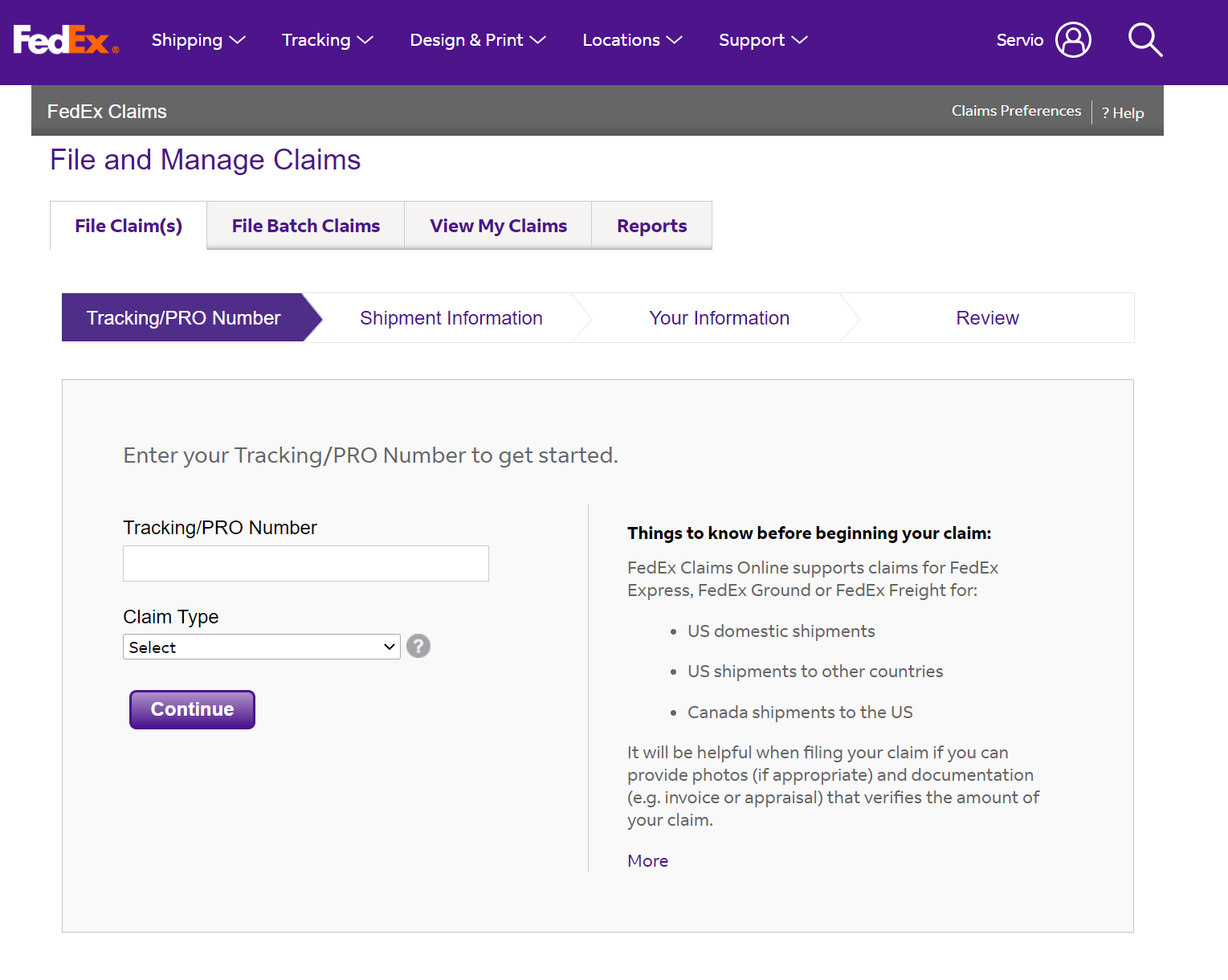
4- Click on Star a claim.
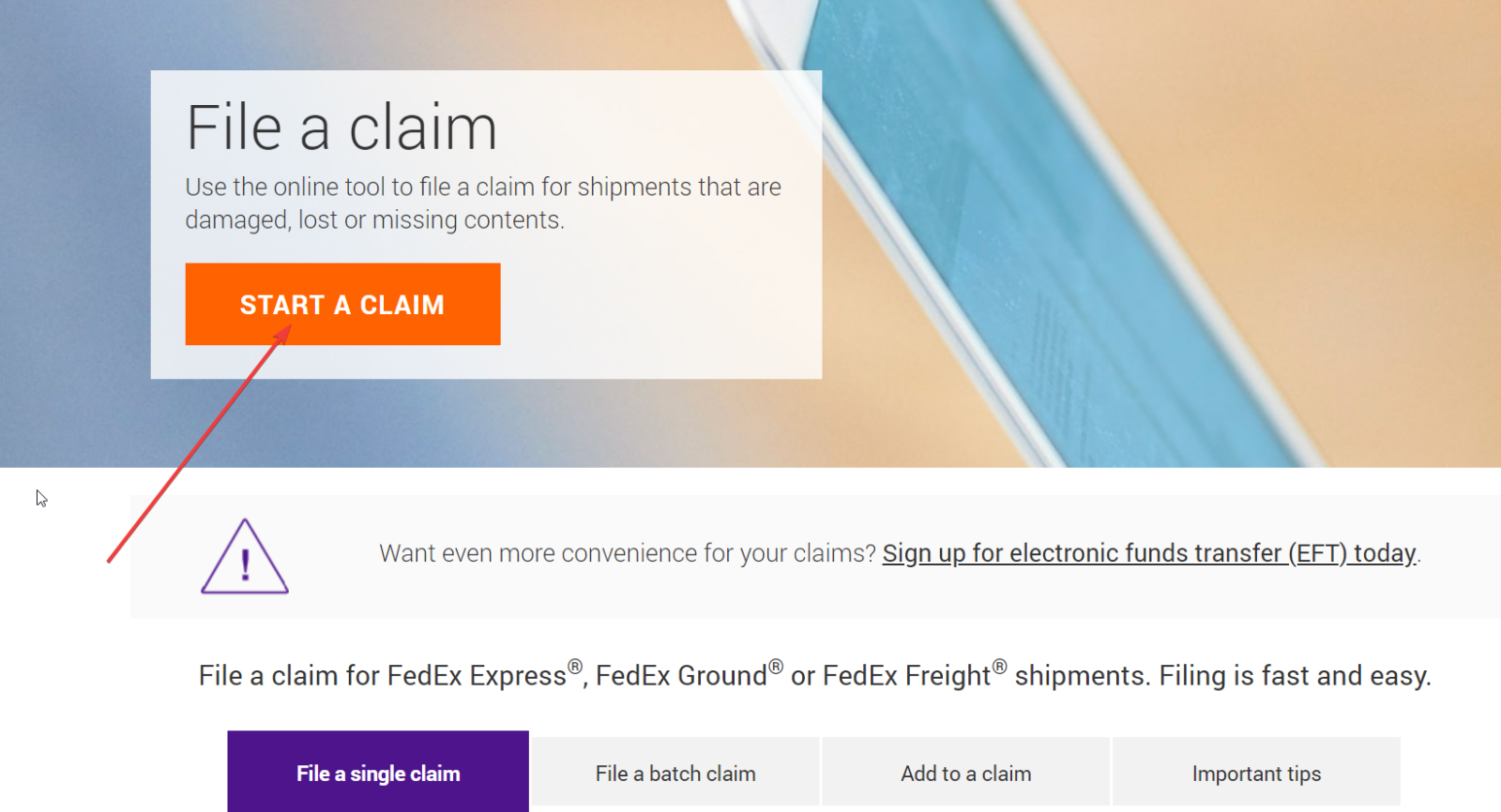
5- Go to claims preference (only the first time, if you have never made a claim before).
Note: Many times the website does not load, please refresh until it changes.
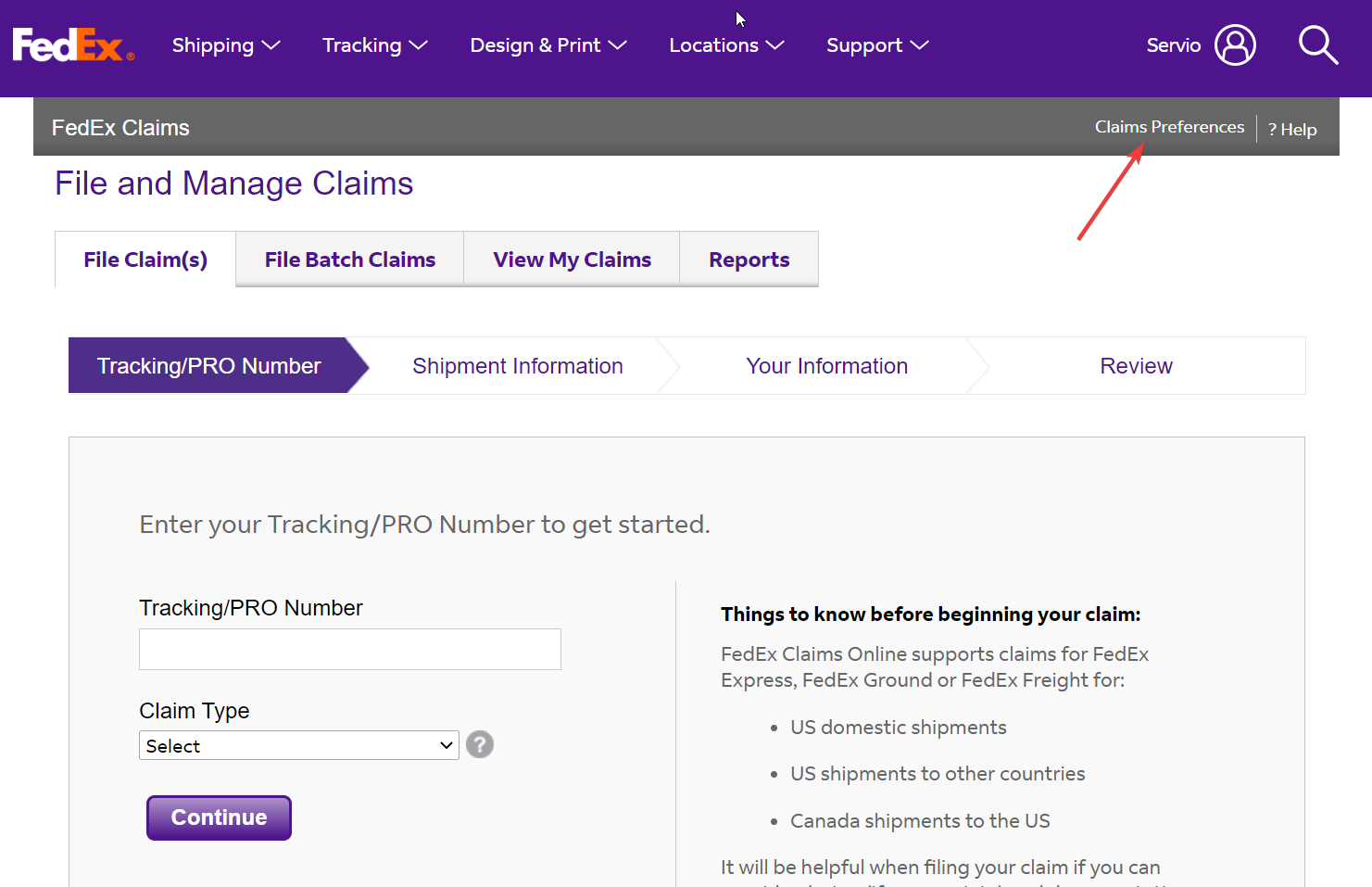
Note: Many times the website does not load, please refresh until it changes.

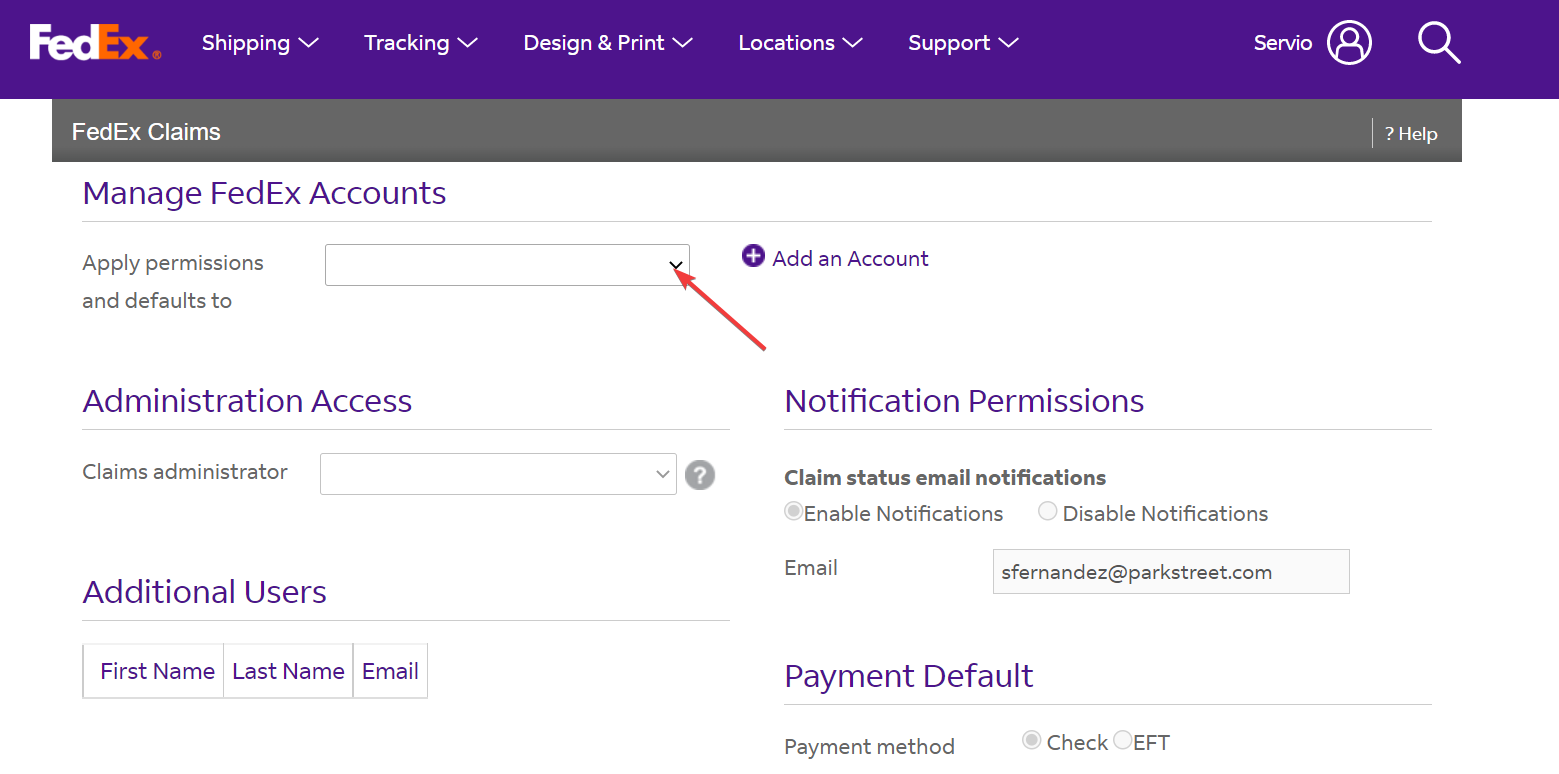
6-Click on Apply permissions and default to.
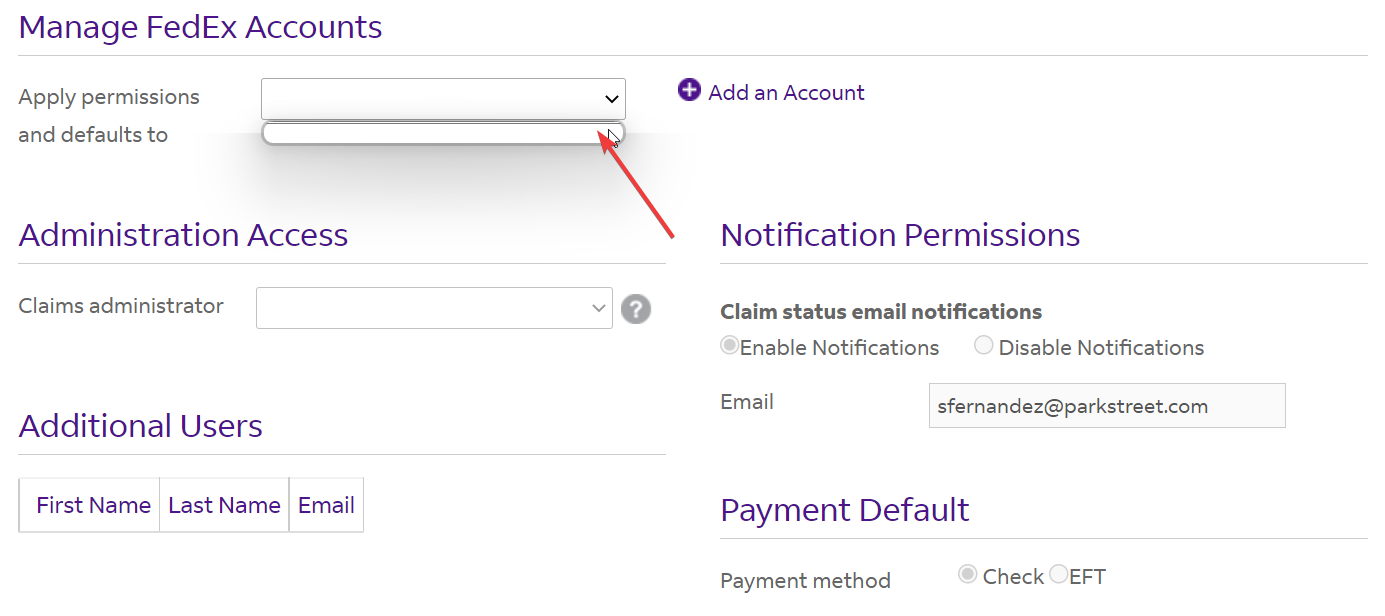
7-Select the empty white line.
8- Start again from steps 1 to 4. With the tracking number start filling out your claim.